The ThinkPad X390 is a 13.3 inch business ultraportable from 2019. It is small, light and built like a ThinkPad, and in 2026 it sits in a price band where buyers also look at larger, heavier machines. This review is a specifications-based assessment, built from Lenovo’s published spec sheet, independent reviews and the practical questions a refurbished buyer should ask. It is not a record of lab testing. I’m writing it from the support side of Edify, where the questions after purchase are usually about battery, keyboard wear and upgrade limits, so those get the most space here.
Quick Verdict: Is the ThinkPad X390 Worth Buying Refurbished?
Short answer: yes, if you value size and weight over screen space and ports. Edify currently lists the refurbished ThinkPad X390 (Core i5 8th Gen, 16GB RAM, 256GB storage, Windows 11 Pro) at Rs 27,999. It is in stock, and 68 units have been sold so far. Every unit goes through the 49-point CheckMate inspection and carries a 12-month warranty.
Buy it if you carry your laptop daily, work mostly in browsers, documents, email and video calls, and want a keyboard you can type on for hours. Skip it if you need a 14 inch screen, heavy multitasking beyond 16GB, or a laptop that you plan to upgrade later. The X390 has soldered memory, so what you buy is what you keep.
ThinkPad X390 Specs at a Glance
Lenovo publishes the full configuration range on its ThinkPad X390 PSREF specification sheet. The table below combines the Edify listing with the broader platform details.
| Item | ThinkPad X390 |
|---|---|
| Launch year | 2019 |
| Processor (Edify listing) | Intel Core i5, 8th Gen |
| RAM (Edify listing) | 16GB, soldered |
| Storage (Edify listing) | 256GB SSD |
| Display (Edify listing) | 13.3 inch, HD |
| Operating system | Windows 11 Pro |
| Weight | Roughly 1.2 kg |
| Edify price | Rs 27,999 |
| Warranty | 12 months |
One note on the display. Independent reviews, including Notebookcheck’s review of the i5-8265U FHD model, covered the Full HD panel. The Edify listing says HD. Check the product page for the exact panel before you order, and ask support if you want Full HD specifically.
Size, Weight and Ports
This is the reason to buy an X390. At 13.3 inches and roughly 1.2 kg, it slides into a backpack next to a water bottle and you forget it is there. Compared with a 14 inch ThinkPad, you give up a little screen area and gain a noticeably smaller footprint on a train tray table or a café counter.
Ports are better than most thin laptops offer. The platform has two USB-A ports, two USB-C ports (one with Thunderbolt 3) and HDMI. That means you can plug into a projector or a monitor without a dongle, which still matters in Indian offices and colleges where HDMI is the default. Lenovo’s spec sheet is the place to confirm optional items such as the SIM slot, since not every configuration has them.
Charging
Charging happens over USB-C. A practical tip from the support desk: keep the original charger in the box if it is included, and avoid very cheap unbranded USB-C chargers. Under-rated chargers are a common cause of ‘not charging’ complaints on thin laptops.
Keyboard, TrackPoint and Screen
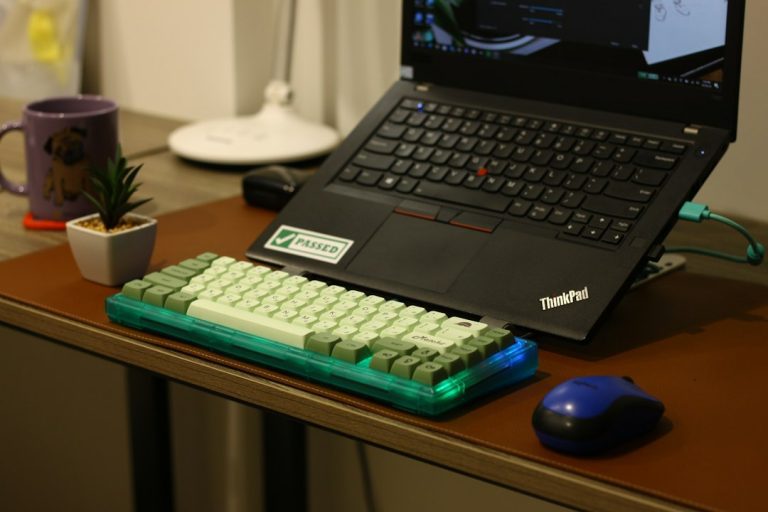
ThinkPad keyboards are the main reason people stay loyal to the brand. The X390 has the familiar layout with the red TrackPoint nub, physical mouse buttons and a keyboard that does not feel mushy. For students writing assignments or professionals answering a hundred emails, it is comfortable.
On a refurbished unit, check three things on arrival:
- Key shine. Glossy, polished-looking keys (especially E, A, S and the spacebar) show heavy past use. It is cosmetic, but it tells you how the laptop was treated.
- Key response. Open a text editor and type a long paragraph. Missing or doubled letters mean a keyboard fault, not a software problem.
- TrackPoint caps. The rubber cap wears smooth. Replacement caps are cheap and easy to fit.
The screen is the compromise. A 13.3 inch panel is fine for documents and spreadsheets, but side-by-side windows feel tight. If you work with two documents open all day, a 14 inch model is easier on the eyes. Business laptops of this era are also not known for bright or colour-accurate panels, so photo and video editors should look elsewhere.
Performance in 2026
The 8th Gen Core i5 in this class is a quad-core, eight-thread low-power processor. Notebookcheck’s review covers the i5-8265U variant and positions the X390 as a compact business and office machine, which is a fair description. PCWorld’s X390 review reached a similar conclusion, calling it a sharp business laptop with caveats.
In daily use, that means:
- Handles well: web browsing with a reasonable number of tabs, Microsoft 365, Google Workspace, Zoom and Teams calls, PDF work, coding in a lightweight editor, light data entry and accounting software.
- Struggles with: video editing, 3D work, modern games and anything that keeps the CPU at full load for long stretches. Thin chassis and low-power chips throttle under sustained load.
The 16GB of RAM on the Edify listing is the right amount for this chip. Memory is rarely the bottleneck on a 2019 ultraportable when it has 16GB. The 256GB storage is adequate for a work machine but fills up if you keep large media libraries locally. Cloud storage or an external drive solves that cheaply.
Battery Wear on a Refurbished X390
Battery is the honest weak spot of any 2019 laptop. A lithium-ion battery loses capacity with every charge cycle and with age, so a refurbished X390 will not last as long as it did when new. Lenovo’s original battery rating was for a new pack, and real-world life depends on brightness, workload and how worn the pack is.
You can check wear yourself in a minute. Open Command Prompt as administrator and run powercfg /batteryreport. Open the HTML file it creates and compare ‘Design Capacity’ with ‘Full Charge Capacity’. A modest gap is normal for a laptop this age. A very large gap, or a battery that drops from 60 percent to shutdown, is something to report.
If that happens, contact support early rather than living with it for months. The 12-month warranty exists for situations like this, and a clear battery report screenshot makes the conversation quicker. Do not wait until the last month of the warranty.
Habits that slow further wear
- Avoid running the battery to zero regularly.
- Keep the laptop out of hot spots such as a car dashboard or direct sun.
- If it stays on a desk plugged in most days, that is fine for the machine, but expect the battery to age with heat from the laptop’s own use.
Soldered RAM: What It Means for You
The X390 has memory soldered to the motherboard. There is no slot, so you cannot add a second stick later. The storage drive is a separate module, so RAM is the one thing you cannot change after purchase.
This is why the configuration matters more than on an older ThinkPad with SODIMM slots. Buying an 8GB X390 in 2026 and hoping to upgrade later is a dead end. The Edify unit has 16GB, which is the sensible choice, and it removes the main worry about soldered memory. Configurations are also available up to 32GB on some models in the wider catalog, but that is a different class of laptop.
Soldered also means a failure is a motherboard repair rather than a stick swap. That is a good reason to buy from a seller with a real warranty rather than a loose second-hand listing. For refurbished buyers, the practical rule is simple: with soldered RAM, buy the amount you need today and make sure someone stands behind the machine.
Edify Availability, CheckMate and Warranty
Edify refurbishes 5,000+ units a month at its Sarjapur Road facility in Bengaluru and has served 50,000+ customers across 1,800+ pin codes. Each laptop goes through the 49-point CheckMate inspection before listing. Edify does not publish the list of what those points cover, so treat the inspection as a general quality gate and not as a guarantee of any single component’s condition.
What backs your purchase more concretely is the 12-month warranty on laptops. For a laptop with soldered RAM and an aging battery, that period is the real protection. The listing at Rs 27,999 includes it.
Before you order
- Open the product page and read the panel, CPU and storage lines carefully.
- Ask support for details on cosmetic condition if the photos do not answer your questions.
- On delivery, run the battery report, type for a few minutes and test every port.
X390 vs T490s, E14 and Other Alternatives
The X390 competes with several machines in the Rs 27,000 to 40,000 band. The right one depends on what you give up. Prices below are Edify’s current entry-config listings.
| Laptop | Spec (Edify listing) | Edify price | Best for |
|---|---|---|---|
| ThinkPad X390 | Core i5 8th Gen, 16GB/256GB, 13.3 inch HD | Rs 27,999 | Daily carry, smallest size |
| ThinkPad T490s | Core i5 8th Gen, 16GB/256GB, 14 inch FHD | Rs 27,999 | Bigger Full HD screen at the same price |
| ThinkPad E14 | Core i5 10th Gen, 8GB/256GB, 14 inch HD | Rs 28,999 | Newer CPU generation, plain office use |
| ThinkPad T14s | Core i7 10th Gen, 16GB/512GB, 14 inch FHD | Rs 38,499 | More power and storage |
X390 or T490s?
This is the closest call, because both list at Rs 27,999 with the same CPU generation, RAM and storage. The T490s has a 14 inch Full HD screen on its listing. If you travel every day, the X390’s smaller body wins. If you sit at a desk most of the time and want a sharper, larger display, the T490s is the better pick. The T490s has also sold more units on Edify (133 against 68), which says something about how many buyers lean towards the bigger screen.
X390 or E14?
The E14 has a newer 10th Gen processor but only 8GB of RAM on this listing. Read our ThinkPad E14 review if you are leaning that way. For a buyer who wants more memory headroom, the X390’s 16GB is the safer side of the trade.
X390 or L480 and X13?
The ThinkPad L480 review covers a cheaper, more basic 14 inch option. If you want a 13 inch machine with a newer processor, read the ThinkPad X13 review, which discusses the same soldered RAM trade-off on a 10th Gen platform. Check current Edify listings for stock and prices on these models, since they change.
Final Verdict and Who Should Skip It
Buy the X390 if:
- You commute or travel and want the lightest sensible business laptop.
- Your work is documents, browsers, calls and email.
- You want a good keyboard and HDMI without a dongle.
Skip it if:
- You want a bigger screen (look at the T490s at the same price).
- You edit video, run virtual machines or need more than 16GB of RAM.
- You want to open the laptop and upgrade parts later.
At Rs 27,999 with 16GB of RAM, a 49-point CheckMate inspection and a 12-month warranty, the Edify X390 is a reasonable buy for someone who values portability. Run the battery report on day one, check the keyboard properly, and report anything that looks wrong while the warranty has plenty of time left.
Frequently Asked Questions
Can I upgrade the RAM on a ThinkPad X390?
No. The memory is soldered to the motherboard. That is why the 16GB configuration is the one to buy.
Is the X390 good for students?
Yes, for note-taking, assignments, online classes and light coding. It is light enough to carry all day. Engineering students running heavy CAD or simulation software need a more powerful machine.
Does the X390 run Windows 11?
The Edify listing ships with Windows 11 Pro installed, so you can use it straight away.
How long does the warranty last?
Edify gives 12 months on laptops. Apple products get 6 months, but that does not apply to ThinkPads.
Prepared with AI assistance using the sources cited in this article.