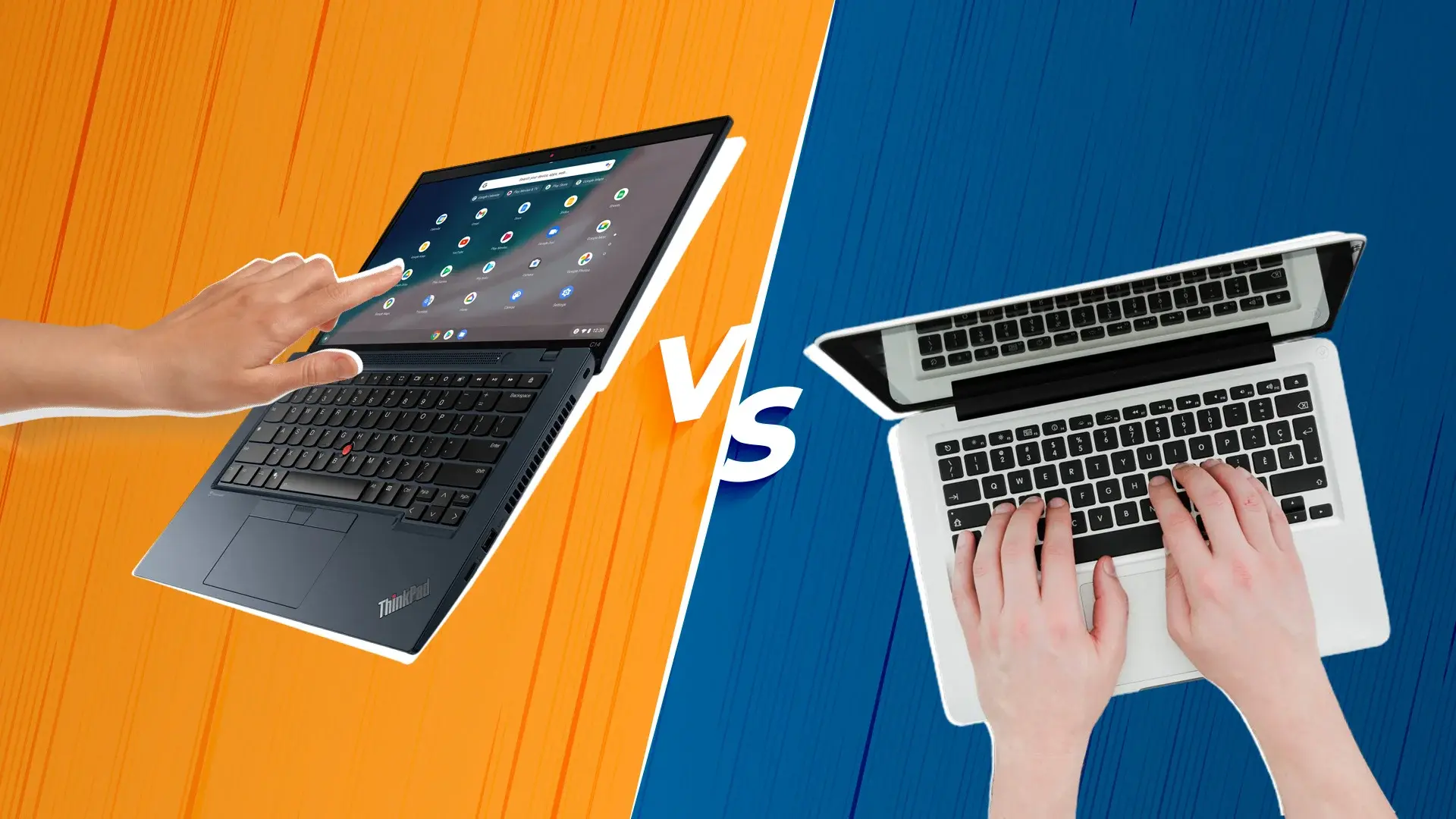
In the last 2 decades, laptops have significantly changed in terms of capabilities and the form factor. Touchscreen laptops are something that some people love while some hate the thought of it.
Let’s explore the controversial concept of touchscreen laptops vs non-touchscreen laptops. What are the advantages and disadvantages of each, and who they are best suited for!
Touchscreen Laptops
Touchscreen laptops are laptops equipped with interactive display panels that respond to finger or stylus input, enabling direct control of applications and content. These devices offer seamless navigation through intuitive tap, swipe, and zoom gestures, making everyday tasks feel natural and responsive. They excel for creative professionals—artists, designers, and illustrators can sketch and paint directly on screen with precision, while students benefit from handwritten note-taking that enhances learning retention. Touchscreen laptops typically feature superior displays with higher resolution and color accuracy, ideal for visual work. They serve as reliable backup input methods when keyboards or touchpads fail, ensuring uninterrupted productivity. However, they generally cost 15-25% more than non-touchscreen models, ranging from Rs. 50,000 to Rs. 200,000+ depending on specifications. As of 2026, touchscreen laptops account for 32% of the refurbished laptop market in India, reflecting growing adoption among professionals and students. For detailed comparisons of both types and guidance on choosing the right fit for your needs, Edify.club provides comprehensive analysis to help you decide.
Let’s look at the good parts
Touchscreen laptops have captured the tech-savvy community’s attention with their intuitive and direct input method, revolutionizing the way we interact with our devices. Let’s explore the key advantages that make them a compelling option for many users:
Seamless Navigation: Touchscreens offer a smooth and responsive interface, making navigation effortless and intuitive. Users can effortlessly tap, swipe, zoom, and pan to control applications, scroll through documents, navigate the operating system, and interact with multimedia content with ease.
Creative Freedom Unveiled: Touchscreen laptops transform into digital canvases, empowering users to unleash their creativity. Artists, designers, and illustrators can sketch, draw, paint, and manipulate images with precision, while students can take handwritten notes directly on the screen, fostering a more natural and engaging learning experience.
Visual Enhancement: Touchscreen laptops often boast higher resolution displays with enhanced brightness, color accuracy, and color gamut, delivering a visually captivating experience. This is particularly beneficial for graphic designers, video editors, photographers, and anyone who appreciates stunning visuals.
Reliable Backup: Should the touchpad or keyboard malfunction, the touchscreen serves as a reliable backup, ensuring uninterrupted productivity. This redundancy is particularly valuable for professionals who rely on their laptops for mission-critical tasks.
Let’s look at the not-so-good parts
While touchscreen laptops offer undeniable benefits, they also come with certain drawbacks that users should consider:
Power Consumption: Touchscreens consume more power due to the constant need to detect and respond to touch interactions. This can lead to reduced battery life compared to non-touchscreen counterparts, especially for users who frequently work on the go or away from power outlets.
Higher Price Tag: They generally command a higher price tag than their non-touch counterparts, making them a less budget-friendly option for some users. This price premium can be a significant factor for those on a tight budget.
Weighty Addition: The additional touch-sensitive technology integrated into the display adds weight to the laptop, which may be a concern for users who prioritize portability. This increased weight can make it less comfortable to carry and use the laptop for extended periods.
Glossy Display Challenges: Many of them feature glossy surfaces that reflect ambient light, causing visibility issues in bright environments or outdoors. This can hinder productivity and make it difficult to work effectively in certain lighting conditions.
Non-Touchscreen Laptops
Non-touchscreen laptops are traditional laptops with physical input devices like keyboards and touchpads as the primary control method. These devices prioritize durability, battery efficiency, and cost-effectiveness, making them ideal for professionals who need reliable performance without premium pricing. Non-touchscreen laptops typically weigh less than their touchscreen counterparts and offer superior battery life, often exceeding 12 hours on a single charge. They eliminate screen glare issues and reduce fingerprint smudges, maintaining display clarity throughout the day. The absence of touchscreen technology keeps prices significantly lower, with quality non-touchscreen models available under Rs 40,000. These laptops excel for coding, writing, and business applications where keyboard input dominates workflow. Learn more about choosing the right laptop for your needs on Edify.club’s comprehensive guide.
Non-touchscreen laptops continue to hold their own in the market, offering several advantages that appeal to specific user preferences and needs:
Precise Control and Feedback: They provide users with a sense of control and precision, particularly when performing tasks that require fine motor skills, such as typing, editing documents, or using specialized software. The tactile feedback from the keyboard and trackpad enhances accuracy and productivity.
Budget-Friendly Option: They generally fall within a lower price range, making them a more cost-effective option for budget-conscious buyers. This affordability makes them an attractive choice for students, budget-minded individuals, or those who prioritize value over advanced features.
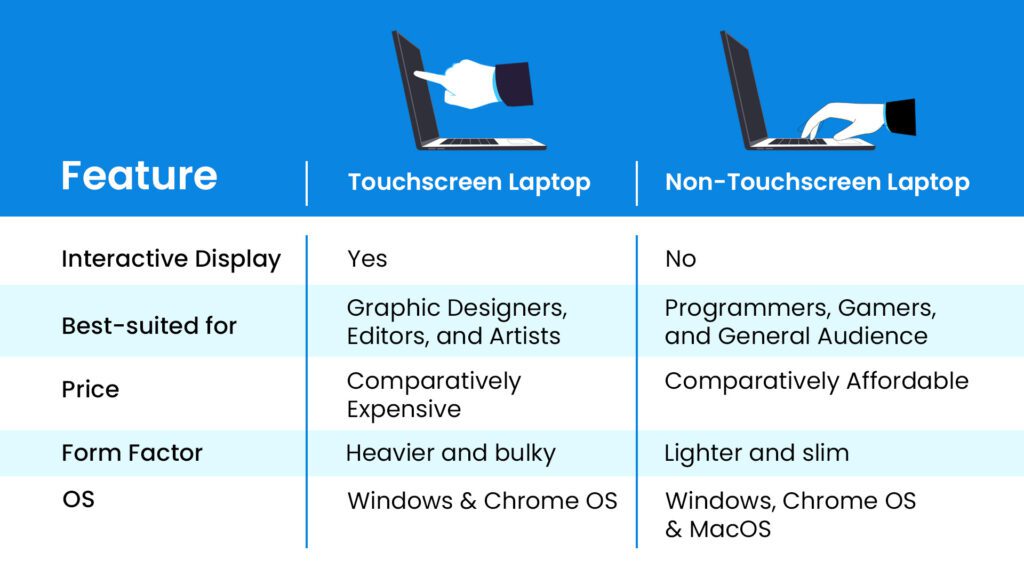
It boils down to one simple question: do you have the use case for a touchscreen?
If you do, just go with touchscreen laptops. If not, non-touchscreen laptops are the way to go.
Edify offers top-quality refurbished laptops of both types: touchscreen and non-touchscreen. You also get 12 months of warranty to put you out of worry.
Q: Are refurbished touchscreen laptops reliable and worth buying?
Yes. Refurbished touchscreen laptops from certified platforms like Edify undergo rigorous testing and quality checks before resale. They come with warranties, cost 40-60% less than new models, and deliver the same performance and durability. With 50,000+ satisfied customers across 1,800+ pin codes, refurbished touchscreen laptops are a cost-effective choice for professionals and students without compromising on functionality or lifespan.


No Comments
Leave a comment Cancel