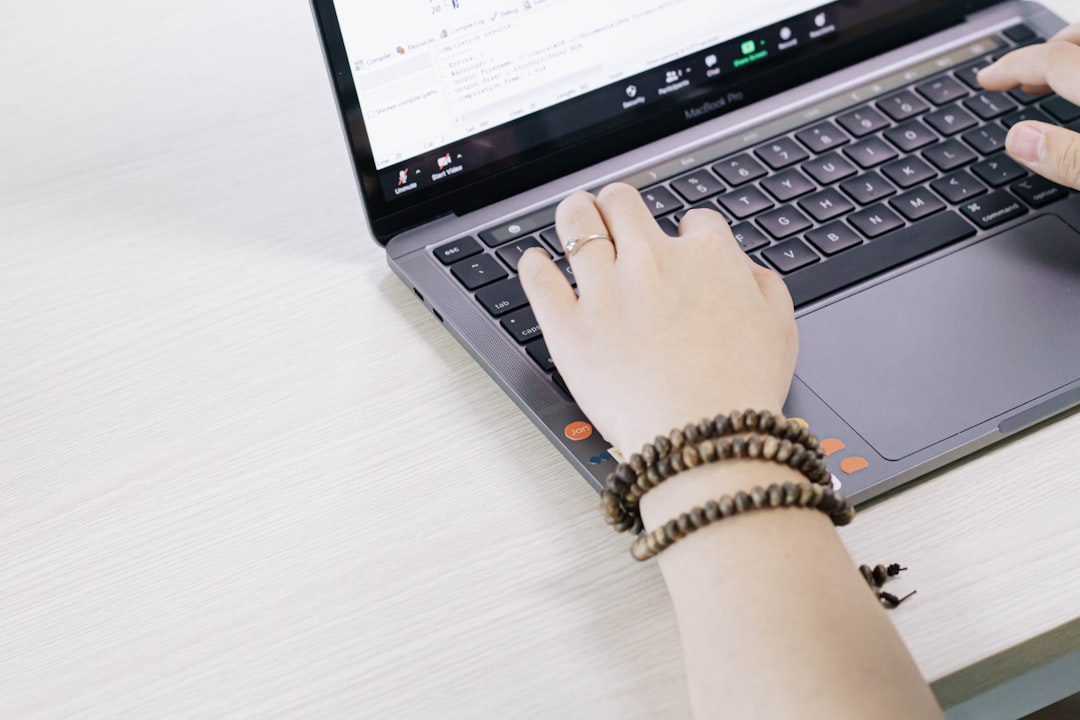
Buying a second hand laptop in India has transformed from a risky gamble into a smart financial decision in 2026. The certified refurbished market now delivers premium devices at 30-60% below retail prices, backed by warranties and quality guarantees that rival new laptops. Whether you’re a student stretched on budget, a professional working remotely, or a parent equipping your child for online learning, pre-owned laptops offer exceptional value without compromise. A business-class laptop that originally cost ₹80,000 becomes accessible at ₹35,000 through certified channels, delivering identical performance for everyday tasks. The transformation stems from professional refurbishment processes that test every component—processor, RAM, storage, display, battery—before certification. Platforms like Edify Club have eliminated the traditional risks of buying used electronics by implementing rigorous quality standards and transparent grading systems. This guide covers everything you need to know: how to choose the right specifications, where to find the best deals, which brands offer the longest lifespan, and how to verify quality before purchase.
Why Second Hand Laptops Make Perfect Sense in 2026
The financial case for buying a second hand laptop becomes obvious when you compare specifications and prices. A Dell Latitude 5420 with Intel Core i5 11th Gen, 8GB RAM, and 256GB SSD costs approximately ₹75,000 new in 2026. The same laptop, certified refurbished with identical specifications, sells for ₹22,500 to ₹45,200 at Edify Club. That’s a savings of up to 60% on a machine that performs identically for document editing, video conferencing, web browsing, and standard business applications. The ThinkPad T480 with Intel Core i5 8th Gen follows the same pattern—₹68,000 new versus ₹14,000 to ₹31,900 refurbished. For students and young professionals, these price differences determine whether owning a quality laptop fits within monthly budgets or remains out of reach.
Performance gaps between new and slightly older technology have narrowed dramatically. An 8th generation Intel Core i5 processor from 2018 still handles Microsoft Office, Google Workspace, video streaming, and multitasking across 10+ browser tabs without lag. Most users never stress their hardware beyond these basic functions, making cutting-edge specifications unnecessary. Business-grade laptops like Lenovo ThinkPad, Dell Latitude, and HP EliteBook models are engineered for 7-10 year lifespans. These machines survive military-grade durability testing (MIL-STD-810G) and are built for 50,000+ keyboard presses. A 2-3 year old business laptop still offers 5+ years of productive use, unlike consumer-grade devices that often fail within 3-4 years of purchase.
The environmental impact matters increasingly to conscious buyers. Manufacturing a single new laptop generates approximately 200kg of CO2 emissions and requires significant quantities of rare earth minerals, water, and energy. Every refurbished laptop purchased prevents one device from landfills where lead, mercury, and cadmium contaminate soil and groundwater. The UN Environment Programme confirms that extending laptop lifecycles by just two years reduces carbon emissions by 1.2 tonnes per device. India generates over 3.2 million tonnes of e-waste annually, and choosing refurbished directly reduces this burden while maintaining your computing capabilities. Edify Club has already diverted over 75,000 tonnes of electronic waste from landfills by serving 50,000+ customers across 1,800+ pin codes since inception.
Certification processes have eliminated the traditional risks of buying used electronics. Edify Club and similar platforms implement 49-checkpoint inspections covering hardware functionality, battery health (minimum 80% capacity), screen quality (zero dead pixels), and thermal performance (stress-tested for 4+ hours). Every laptop receives fresh Windows 11 Pro installation with genuine licensing, updated drivers, and removed bloatware. Warranties now match new laptop coverage—12 months for most models, 18 months for premium units—covering hardware failures, battery degradation, and screen defects. This professional approach transforms random second-hand purchases into reliable certified products.
Understanding Second Hand vs Refurbished Laptops
The terms “second hand” and “refurbished” are often used interchangeably but represent fundamentally different purchase experiences. Second hand laptops come directly from individual sellers through classified platforms like OLX, Quikr, or Facebook Marketplace. These devices receive no professional inspection, carry no warranty, and arrive in whatever condition the previous owner maintained. You’re purchasing the laptop “as-is” with all its unknown history, hidden defects, and potential problems. Prices appear attractive initially—often 15-20% below refurbished rates—but this discount comes with substantial risk.
Refurbished laptops undergo complete professional restoration. Certified sellers disassemble devices, test all components individually, replace faulty parts, clean internals thoroughly, and reinstall operating systems from scratch. Battery health gets verified through multiple charge-discharge cycles. Screens are inspected under calibration tools for dead pixels and color accuracy. Keyboards are tested with automated systems that press every key 50+ times. Storage drives undergo full SMART diagnostics checking for bad sectors and remaining lifespan. Only devices passing every checkpoint receive certification and warranty coverage.
| Factor | Second Hand Laptop | Certified Refurbished |
|---|---|---|
| Source | Individual sellers | Professional refurbishers like Edify Club |
| Quality Testing | None or self-reported | 49-checkpoint professional inspection |
| Warranty Coverage | Rarely offered | 12 months standard |
| Battery Health | Unknown, often degraded | Minimum 80% capacity verified |
| Software | May have pirated OS | Genuine Windows 11 Pro included |
| Return Policy | Usually unavailable | Easy returns within 7-15 days |
| Price Range | ₹8,000 – ₹70,000 | ₹14,000 – ₹1,50,000 |
| Risk Level | High—no recourse for defects | Low—warranty protects investment |
The price premium for refurbished over second-hand typically runs 15-20%, but this difference buys you measurable protection. A second-hand ThinkPad T480 might sell for ₹12,000 from an individual, while the certified refurbished version costs ₹14,000 to ₹16,000 at Edify Club. That extra ₹2,000-₹4,000 includes warranty coverage worth ₹3,000-₹5,000 in potential repair costs, genuine Windows licensing worth ₹8,000-₹12,000, and verified battery health that could otherwise require ₹4,000-₹6,000 for replacement. The certified route eliminates hidden costs that often exceed the initial savings from individual sellers.
Why Certified Refurbished Offers Better Value
Consider the total cost of ownership over 3-4 years. A second-hand laptop purchased at ₹15,000 without warranty often requires repairs within 6-12 months—keyboard replacement (₹2,500-₹4,000), battery replacement (₹4,000-₹6,000), or screen repairs (₹8,000-₹15,000). These costs quickly erase initial savings. Meanwhile, a certified refurbished laptop at ₹18,000 includes warranty coverage that handles these repairs at zero cost. Professional testing also identifies potential failures before sale, replacing components proactively rather than waiting for customer complaints.
Certified sellers also provide structured support channels. Edify Club offers phone and email support with 24-48 hour response times for warranty claims and 3-5 day turnaround for repairs including pickup and delivery. Individual sellers disappear after transactions, leaving buyers stranded when problems emerge. The peace of mind from knowing you have recourse for defects represents genuine value that’s difficult to quantify but easy to appreciate when issues arise.
How to Choose the Right Second Hand Laptop
Selecting the perfect refurbished laptop requires matching specifications to your actual usage patterns rather than aspirational needs. Start by honestly assessing your primary tasks. Students writing assignments, attending online lectures, and browsing research materials need baseline specifications—Intel Core i5 or AMD Ryzen 5 processor, minimum 8GB RAM, and 256GB SSD storage. These specs handle Microsoft Office, Google Workspace, video conferencing through Zoom or Teams, and casual web browsing across 10-15 tabs without performance issues.
Professionals working with data analysis, software development, or content creation require more robust configurations. Business analysts running Excel with large datasets need 16GB RAM minimum. Software developers compiling code benefit from Intel Core i7 or AMD Ryzen 7 processors with higher clock speeds. Graphic designers and video editors require dedicated graphics cards—NVIDIA GTX 1650 or better for Adobe Creative Suite work. Define your most resource-intensive task and spec accordingly rather than overspending on unnecessary capabilities.
Processor Considerations
Processor generation matters more than model name alone. An Intel Core i5 11th Gen outperforms an Intel Core i7 6th Gen in most tasks despite the lower model designation. When browsing Edify Club’s catalog, you’ll find laptops ranging from 7th Gen to 11th Gen processors. For 2026, target 8th Gen or newer for longevity—these support Windows 11 natively and will receive security updates through 2028-2030. The ThinkPad T470 with Intel Core i5 7th Gen at ₹12,500 to ₹30,400 represents the entry point, while the Dell Latitude 5420 with Intel Core i5 11th Gen at ₹22,500 to ₹45,200 offers more future-proof performance.
RAM and Storage Requirements
RAM determines multitasking capability. In 2026, 8GB represents the functional minimum for Windows 11, but 16GB provides noticeably smoother performance when running multiple applications simultaneously. The ThinkPad T14 with Intel Core i5 10th Gen and 16GB RAM costs ₹20,999 to ₹39,290, offering excellent value for professionals who keep dozens of browser tabs open alongside productivity software. Many business laptops allow RAM upgrades—check specifications before purchase if you plan to expand later.
Storage type dramatically affects user experience. SSDs (Solid State Drives) boot Windows in 10-20 seconds and launch applications nearly instantly. Traditional HDDs (Hard Disk Drives) take 45-90 seconds to boot and show noticeable lag when opening programs. Every laptop in Edify Club’s catalog includes SSD storage, with capacities ranging from 128GB to 512GB. The Dell Latitude 7400 with 16GB RAM but only 128GB storage at ₹20,000 to ₹30,700 suits users who store files in cloud services, while the ThinkPad T14 with 256GB provides local storage for larger file libraries.
Display and Build Quality
Screen quality impacts daily comfort significantly. Full HD (1920×1080) resolution represents the standard for 14-15 inch laptops, providing sharp text and adequate screen real estate. IPS panels offer better color accuracy and wider viewing angles than TN panels—critical for content creators but less important for general users. Business-class laptops from ThinkPad, Dell Latitude, and HP EliteBook series use premium displays with anti-glare coatings that reduce eye strain during extended use.
Build quality determines lifespan. Business laptops feature magnesium alloy or carbon fiber chassis that resist flexing and survive daily wear. Consumer laptops typically use plastic construction that cracks more easily under stress. Keyboard quality varies dramatically too—ThinkPad keyboards are industry-renowned for their tactile feedback and durability, while budget laptops often have mushy keys that wear out quickly. If you type extensively, this difference matters enormously over 3-4 years of ownership.
Best Second Hand Laptop Deals by Price Range
Understanding current market prices helps you identify genuine value and avoid overpaying. Edify Club’s certified refurbished catalog provides transparent pricing across multiple tiers, with laptops tested to identical standards regardless of price point. Here’s how prices break down across budget segments in 2026:
Budget Segment (₹12,500 – ₹22,000)
The ThinkPad T470 with Intel Core i5 7th Gen, 8GB RAM, and 256GB SSD starts at ₹12,500, making it the most affordable certified option for students and basic office work. This laptop handles document editing, web browsing, and video streaming comfortably. The HP EliteBook 840 G5 with Intel Core i5 8th Gen offers slightly better performance at ₹16,200 to ₹30,900, with the lower end of that range representing excellent value for the specifications. These laptops suit users whose most demanding task is running 15-20 browser tabs simultaneously or light photo editing in basic programs.
Mid-Range Segment (₹22,500 – ₹40,000)
This price range delivers the best performance-per-rupee ratio for most buyers. The Dell Latitude 5420 with Intel Core i5 11th Gen, 8GB RAM, and 256GB SSD costs ₹22,500 to ₹45,200, offering modern processor architecture that will remain relevant through 2028-2030. The ThinkPad T480 with Intel Core i5 8th Gen at ₹14,000 to ₹31,900 provides legendary keyboard quality and excellent battery life. For users needing 16GB RAM, the ThinkPad T14 at ₹20,999 to ₹39,290 handles heavy multitasking, large Excel files, and running virtual machines for software testing.
Premium Segment (₹40,000 – ₹50,000)
The top tier includes the most recent processors and highest RAM configurations. The ThinkPad T480 with Intel Core i7 8th Gen and 8GB RAM costs ₹16,000 to ₹39,600, offering faster clock speeds for CPU-intensive tasks like video rendering or compiling large codebases. The Dell Latitude 7410 with Intel Core i5 10th Gen at ₹27,500 to ₹33,700 provides premium build quality and display panels suitable for professional content creation. These laptops target power users, developers, and creative professionals who need maximum performance without spending ₹80,000+ on new devices.
| Model | CPU | RAM | Storage | Price Range | Best For |
|---|---|---|---|---|---|
| ThinkPad T470 | Intel Core i5 7th Gen | 8GB | 256GB SSD | ₹12,500 – ₹30,400 | Budget-conscious students |
| ThinkPad T480 | Intel Core i5 8th Gen | 8GB | 256GB SSD | ₹14,000 – ₹31,900 | General professionals |
| HP EliteBook 840 G5 | Intel Core i5 8th Gen | 8GB | 256GB SSD | ₹16,200 – ₹30,900 | Office workers |
| ThinkPad T14 | Intel Core i5 10th Gen | 16GB | 256GB SSD | ₹20,999 – ₹39,290 | Heavy multitaskers |
| Dell Latitude 5420 | Intel Core i5 11th Gen | 8GB | 256GB SSD | ₹22,500 – ₹45,200 | Future-proof performance |
| Dell Latitude 7490 | Intel Core i5 8th Gen | 8GB | 256GB SSD | ₹17,700 – ₹19,300 | Compact portability |
Second Hand vs New Laptop: Price Comparison
The savings from buying certified refurbished become crystal clear when comparing identical specifications across new and refurbished markets. This comparison uses 2026 retail prices from manufacturer websites and Edify Club’s certified refurbished catalog:
| Specification Category | Example Config | New Price (Approx) | Refurbished at Edify | Savings |
|---|---|---|---|---|
| Budget Laptop | Intel i5 7th-8th Gen, 8GB RAM, 256GB SSD | ₹45,000 – ₹55,000 | ₹12,500 – ₹22,000 | Up to 60% |
| Mid-Range Laptop | Intel i5 10th-11th Gen, 8GB RAM, 256GB SSD | ₹65,000 – ₹85,000 | ₹22,500 – ₹40,000 | Up to 50% |
| High-Performance Laptop | Intel i5-i7 10th-11th Gen, 16GB RAM, 256GB SSD | ₹85,000 – ₹1,10,000 | ₹27,500 – ₹45,200 | Up to 48% |
| Premium Business Laptop | Intel i7 8th Gen, 16GB RAM, 512GB SSD | ₹1,00,000 – ₹1,30,000 | ₹35,000 – ₹55,000 | Up to 45% |
These savings compound when buying multiple devices. A small business equipping five employees with mid-range laptops spends ₹3,25,000 – ₹4,25,000 for new devices versus ₹1,12,500 – ₹2,00,000 for certified refurbished equivalents. That ₹2,12,500 – ₹2,25,000 difference funds other business investments—software licenses, office furniture, or marketing budgets. For families buying laptops for multiple children’s education, the savings enable higher specifications or purchasing tablets and accessories that wouldn’t fit new-laptop budgets.
What to Check Before Buying Any Second Hand Laptop
Whether purchasing from certified platforms or individual sellers, certain verification steps remain non-negotiable. These checks protect you from inheriting problems that cost more to fix than you saved on purchase price.
Physical Condition Assessment
Examine the laptop’s exterior thoroughly under good lighting. Check all corners for impact damage—dropped laptops often crack near hinge attachment points. Open and close the lid 5-10 times, feeling for smooth motion without grinding sounds or excessive wobble. Loose hinges indicate heavy wear and often require ₹3,000-₹5,000 repairs. Inspect the keyboard for missing or damaged keycaps, and press every key to verify responsiveness. Sticky keys suggest liquid damage that may cause future failures. Check all ports by inserting cables and devices—USB ports, HDMI output, audio jacks, and power connectors should fit snugly without wiggling.
Screen Quality Verification
Display problems represent expensive repairs, often costing ₹8,000-₹15,000 for panel replacement. Boot the laptop and display solid colors—pure white, black, red, green, and blue screens reveal dead pixels, backlight bleeding, or color uniformity issues. Dead pixels appear as stuck dots that don’t change color. Backlight bleeding shows as bright spots along screen edges during dark scenes. Test brightness adjustment across the full range—screens that don’t reach full brightness may have failing backlights. Check for physical damage like scratches or cracks under direct lighting, even minor cracks worsen over time.
Battery Health Check
Battery degradation represents the most common issue with used laptops. On Windows, open Command Prompt as administrator (right-click Start button, select “Command Prompt (Admin)”). Type “powercfg /batteryreport” and press Enter. This generates an HTML file showing design capacity versus current full charge capacity. A healthy battery retains 80%+ of original capacity—if design capacity is 60,000 mWh and current capacity reads 48,000 mWh or higher, the battery is acceptable. Below 70% capacity, factor in ₹4,000-₹6,000 for eventual battery replacement.
For MacBooks, hold Option key while clicking the Apple menu, then select System Information and Power. Check the cycle count (Apple rates batteries for 1000 cycles) and condition status. “Normal” or “Good” indicates acceptable health, while “Replace Soon” or “Service Battery” warns of degradation. Certified refurbishers like Edify Club test batteries through multiple charge-discharge cycles and replace units below 80% capacity before sale, eliminating this concern for buyers.
Specification Verification
Never trust seller claims without independent verification. Some sellers misrepresent specifications to command higher prices. On Windows, right-click “This PC” and select Properties to view processor model and installed RAM. Cross-reference against the seller’s listing—an advertised “Intel Core i7” should show the exact generation like “Intel Core i7-8650U” not just “Intel Core Processor.” For detailed verification, download CPU-Z (free software) which displays processor specifications, RAM configuration including speed and type, and motherboard details.
Check storage drive health using CrystalDiskInfo (free software). This reads the drive’s SMART data showing overall health status, power-on hours, and potential problems. Look for “Good” health status displayed in blue. Yellow “Caution” or red “Bad” indicates the drive is failing and needs immediate replacement (₹3,000-₹6,000 cost). Power-on hours above 20,000 suggest heavy previous use, though enterprise drives often handle this fine. For SSDs specifically, check the “Total Host Writes” value—excessive writes relative to drive age indicate approaching end of lifespan.
Software and Operating System
Verify Windows activation to ensure genuine licensing. Open Settings, navigate to System, then Activation. The status should read “Windows is activated with a digital license” or “Windows is activated with a digital license linked to your Microsoft account.” Any other message like “Windows is not activated” indicates the laptop may have pirated software. This creates legal risks and blocks important security updates. Certified refurbished laptops from Edify Club include genuine Windows 11 Pro installations with digital licenses tied to hardware, ensuring full legal compliance and update access.
Theft Verification
Confirm the laptop isn’t stolen before purchasing. Ask the seller for the original purchase invoice—legitimate owners possess this documentation. Check the laptop’s serial number (usually on a sticker on the bottom panel) against the manufacturer’s warranty lookup tool on their official website. This verifies the model, purchase date, and whether any theft reports exist. For Apple devices, verify Activation Lock status at Apple’s official checker—locked devices are unusable and indicate the original owner hasn’t released the device properly.
Top Lenovo Laptop Models for Second Hand Buyers
Lenovo dominates the certified refurbished market in India, representing 6 of the 10 best-selling models at Edify Club. This popularity stems from ThinkPad’s legendary durability and excellent keyboard quality that outlasts most competitors. When shopping for a second hand Lenovo laptop, these models deliver the best value:
ThinkPad T Series: The Professional Standard
The ThinkPad T480 leads Edify Club’s sales with 159 units sold, available in both Intel Core i5 (₹14,000 – ₹31,900) and i7 configurations (₹16,000 – ₹39,600). This model balances performance, portability, and battery life excellently. The legendary keyboard makes typing comfortable during long work sessions, while military-spec durability testing (MIL-STD-810G) ensures it survives daily commutes and accidental bumps. Display options range from FHD (1920×1080) to WQHD (2560×1440) panels, with IPS technology providing wide viewing angles and accurate colors for content creation.
The ThinkPad T14 represents a newer generation at ₹20,999 – ₹39,290, featuring 10th Gen Intel processors and 16GB RAM standard. This configuration handles heavy multitasking effortlessly—running virtual machines, compiling code, or editing photos while video conferencing simultaneously. The T14 sold 131 units, indicating strong market demand for this higher-spec option among professionals willing to spend slightly more for additional RAM.
The ThinkPad T470 serves budget-conscious buyers at ₹12,500 – ₹30,400 with its 7th Gen Intel Core i5 processor. While one generation older, this laptop still runs Windows 11 and handles standard office tasks, web browsing, and video streaming without issues. The 119 units sold demonstrate this model’s popularity among students and entry-level professionals.
ThinkPad T490: Modern Performance
The ThinkPad T490 at ₹18,700 – ₹39,600 bridges the gap between T480 and T14, offering 8th Gen processors in a slightly slimmer chassis. With 71 units sold, this model appeals to users wanting modern aesthetics without compromising ThinkPad’s functional design. The T490 includes USB-C charging and Thunderbolt 3 support, enabling single-cable docking solutions for office environments.
Why ThinkPad Dominates the Refurbished Market
ThinkPad laptops are engineered for 7-10 year lifespans with replaceable components and extensive spare parts availability. Keyboards withstand 50,000+ presses per key, hinges survive 25,000+ open-close cycles, and chassis meet 12 MIL-STD-810G tests including temperature extremes, vibration, and shock resistance. This durability explains why 3-4 year old ThinkPads perform reliably while consumer laptops of similar age show significant wear. Corporations typically lease ThinkPads on 3-year cycles then resell them in excellent condition—these off-lease units form the bulk of certified refurbished inventory.
Parts availability matters significantly for long-term ownership. ThinkPad keyboards, batteries, and screens remain available from authorized service centers even for 8-10 year old models. If you drop your T480 and crack the screen in year 4, replacement panels cost ₹8,000-₹12,000 and take 2-3 days to install. Consumer laptops often lack parts availability after 3-4 years, turning minor damage into total loss scenarios.
Top Dell Laptop Models for Second Hand Buyers
Dell’s Latitude series provides the primary alternative to ThinkPad in the business laptop segment. These machines emphasize sleek design and portability while maintaining durability standards that exceed consumer laptops significantly.
Dell Latitude 5420: Modern Performance Leader
The Latitude 5420 with 11th Gen Intel Core i5 processor represents the newest architecture in Edify Club’s catalog at ₹22,500 – ₹45,200. This laptop delivers excellent performance-per-rupee with 99 units sold, appealing to buyers wanting maximum longevity from their purchase. The 11th Gen processors support Intel Iris Xe integrated graphics that handle light photo editing and casual gaming noticeably better than older integrated graphics. For professionals who occasionally need to edit videos or create presentations with graphics-heavy content, this capability matters.
Dell Latitude 7410 and 7490: Premium Ultraportables
The Latitude 7410 at ₹27,500 – ₹33,700 offers premium build quality in a compact 14-inch chassis weighing under 1.5kg. With 70 units sold, this model targets professionals who travel frequently and need exceptional portability. The 7490 at ₹17,700 – ₹19,300 provides similar compact design with slightly older 8th Gen processors, representing excellent value for the tight price range. These ultraportables sacrifice some upgradeability (soldered RAM in most configurations) for reduced weight and thickness.
Dell Latitude 7400: The 16GB Option
The Latitude 7400 stands out with 16GB RAM standard despite only 128GB storage at ₹20,000 – ₹30,700. This configuration suits users who store files in cloud services (Google Drive, OneDrive, Dropbox) but need substantial RAM for heavy multitasking. The 49 units sold indicate niche appeal—buyers understanding their specific needs rather than defaulting to higher storage.
HP EliteBook: The Balanced Alternative
HP’s EliteBook 840 G5 at ₹16,200 – ₹30,900 represents the sole HP model in Edify Club’s top 10 with 98 units sold. This laptop splits the difference between ThinkPad’s keyboard-focused design and Latitude’s aesthetic emphasis. The EliteBook features HP’s Sure View privacy screen technology on higher-end configurations, preventing shoulder-surfing in coffee shops or airplanes by narrowing viewing angles. For professionals handling confidential information, this feature justifies the EliteBook choice.
The 8th Gen Intel Core i5 processor handles standard business tasks comfortably, while 8GB RAM and 256GB SSD provide balanced specifications for general use. HP’s build quality in the EliteBook series matches ThinkPad and Latitude durability standards, with magnesium alloy chassis and spill-resistant keyboards rated for 720ml liquid exposure. The EliteBook’s primary advantage over competitors lies in audio quality—Bang & Olufsen tuned speakers deliver noticeably better sound for video conferencing and media consumption.
Pre-Purchase Checklist for Second Hand Laptops
Complete this verification checklist before finalizing any used laptop purchase, whether from certified platforms or individual sellers:
Physical Inspection
- Check all corners and edges for cracks or impact damage
- Test hinges by opening/closing 10+ times—no grinding sounds or excessive wobble
- Press every keyboard key to verify responsiveness—no stuck or missing keys
- Test trackpad multi-touch gestures (pinch-to-zoom, two-finger scroll)
- Inspect all ports with actual cables (USB, HDMI, audio jack)—snug fit required
- Check webcam and microphone through video call test
- Examine screen for scratches, cracks, or pressure marks under direct light
Performance Testing
- Boot from powered-off state—should complete within 20 seconds with SSD
- Display solid colors (white, black, red, green, blue) to check for dead pixels
- Run CrystalDiskInfo to verify storage drive health—”Good” status required
- Generate battery report via PowerShell—minimum 80% capacity acceptable
- Check CPU-Z to verify exact processor model and RAM configuration
- Test speakers at 50% and 100% volume—no distortion or crackling
- Run stress test for 10-15 minutes—temperatures should stabilize below 85°C
Documentation and Legal
- Request original purchase invoice or proof of ownership
- Verify laptop serial number on manufacturer’s website against theft databases
- Check Windows activation status—genuine license required
- Get warranty terms in writing with coverage duration and claim process
- Confirm return policy details including timeframe and conditions
- For Apple devices, verify Activation Lock is disabled
Certified refurbished platforms like Edify Club complete most of these checks during their 49-point inspection process, but independent verification when receiving the device ensures everything matches listing descriptions. Individual seller purchases require completing every checkpoint personally before payment.
Understanding Laptop Grading Systems
Certified refurbished sellers use standardized grading systems to communicate cosmetic condition transparently. These grades assess only appearance, not functionality—all grades deliver identical performance after passing the same testing standards.
Grade S (Superior)
Grade S laptops appear nearly indistinguishable from new units with zero visible scratches from 30cm viewing distance. These devices typically come from short corporate leases (6-12 months) or executive inventory where appearance matters for client meetings. Battery health exceeds 90% of original capacity. Grade S commands 15-20% price premiums over Grade A for identical specifications, justified by flawless appearance suitable for client-facing professionals. Availability remains limited since most corporate laptops show at least minor wear after 2-3 years.
Grade A+ (Excellent)
Grade A+ allows minor scratches under 2mm length or very light scuffing visible only upon close inspection. These laptops spent 2-3 years in careful corporate environments with occasional travel. No dents or dings appear on the chassis. Screens remain scratch-free. Battery health ranges from 85-90% of original capacity. Grade A+ represents the sweet spot for value-conscious buyers wanting near-new appearance without paying Grade S premiums. This grade makes up approximately 40% of Edify Club’s inventory.
Grade A (Very Good)
Grade A permits visible scratches up to 5mm length or small dents not affecting functionality. These laptops saw regular office use including daily bag transport. Wear appears on palmrests, touchpads, and lid surfaces but remains cosmetic only. Screens may show very light scratching not visible when display is active. Battery health meets the 80-84% range. Grade A offers maximum value—30-35% below Grade S pricing for identical specifications and performance. This grade represents about 45% of available inventory, making it the most common choice for budget-conscious professionals and students.
Grade B (Good)
Grade B shows moderate wear including multiple visible scratches, scuff marks, or dings from heavy use. Functionality remains perfect but appearance clearly indicates previous ownership. Some sellers offer Grade B at 40-45% discounts versus Grade S pricing, appealing to users who prioritize performance over aesthetics entirely. Edify Club maintains Grade B standards strictly—all ports, keyboard keys, trackpad, screen, and components must function perfectly regardless of cosmetic condition.
Common Concerns About Second Hand Laptops Addressed
First-time buyers often hesitate due to specific concerns about used laptop purchases. Here’s how certified refurbishment eliminates these traditional risks:
Battery Life and Replacement
Battery degradation worries many buyers since lithium-ion cells lose capacity over time and charge cycles. Certified sellers test battery health through 3-5 complete charge-discharge cycles measuring actual capacity against design specifications. Edify Club requires minimum 80% capacity—if a ThinkPad T480 originally rated for 6 hours runtime shows only 4.8 hours in testing, this meets the 80% threshold. Batteries below this standard get replaced before sale or the laptop sells at reduced price with full disclosure. You know exactly what battery performance to expect rather than discovering poor battery life after purchase.
Battery replacement costs ₹4,000-₹6,000 for most business laptops when needed eventually. However, an 80% health battery typically delivers 2-3 more years of acceptable runtime before replacement becomes necessary. This timeframe exceeds the 12-18 month warranty period that often covers battery degradation below stated capacity, effectively transferring replacement cost to the seller rather than buyer.
Hidden Hardware Defects
Uncertified second-hand laptops may have intermittent problems that appear only under specific conditions—RAM that fails during heavy multitasking, storage drives with bad sectors causing file corruption, or cooling systems unable to handle sustained workloads. Edify Club’s 49-checkpoint testing includes stress tests that run CPU and GPU at maximum capacity for 4+ hours. This extended testing reveals thermal issues, memory instability, and storage problems that might not surface during brief seller demonstrations. Only laptops passing all stress tests receive certification, eliminating hidden defects systematically.
Software Piracy and Licensing
Many individual sellers install pirated Windows to make laptops appear functional, creating legal risks for buyers and blocking important security updates. Microsoft increasingly cracks down on unlicensed installations, particularly in corporate environments. Certified refurbishers install genuine Windows 11 Pro with digital licenses permanently tied to the laptop’s hardware ID. These licenses transfer with the device legally—you own the Windows installation exactly as if you bought the laptop new. The value of genuine licensing (₹8,000-₹12,000 retail) is included in certified refurbished pricing but saves you that cost versus buying a license separately after purchasing from individual sellers with pirated software.
Warranty Coverage Myths
The misconception persists that refurbished laptops carry no warranty protection. Edify Club provides 12-month warranties covering hardware failures, battery degradation below stated capacity, screen defects including dead pixels, and component malfunctions. Premium models receive 18-month coverage. This protection matches or exceeds many new laptop warranties from tier-2 brands. The warranty includes parts and labor with free pickup and delivery across India—if your keyboard fails in month 7, Edify handles replacement at zero cost to you. Warranty claims average 24-48 hour response times with 3-5 day repair turnaround including logistics.
Best Practices for Buying Locally vs Online
The choice between local laptop dealers and online platforms like Edify Club involves balancing inspection convenience against selection breadth and pricing transparency.
Advantages of Local Purchase
Local dealers allow hands-on inspection before payment. You physically test every function, verify cosmetic condition personally, and walk away with the laptop immediately. This eliminates concerns about shipping damage or receiving a different unit than photographed. Local sellers sometimes offer same-day support for setup assistance or initial questions. For buyers uncomfortable with online purchasing or needing immediate laptop availability for work emergencies, local dealers provide tangible advantages.
However, local inventory limitations constrain choice significantly. A typical refurbishment store stocks 50-200 units across all brands and specifications. Finding your exact preferred configuration—specific processor, RAM amount, and storage capacity—requires visiting multiple stores and compromising on specifications more often than online shopping. Pricing also tends higher locally due to physical overhead costs (rent, utilities, staff) that online platforms avoid. Expect 8-12% premiums over online certified refurbished pricing for equivalent specifications and grading.
Advantages of Online Purchase
Platforms like Edify Club offer 2,000+ laptop configurations with detailed filtering by brand, processor generation, RAM capacity, storage size, price range, and even units sold (popularity indicator). This selection breadth enables finding exactly the specifications you need rather than settling for “close enough” options. Transparent pricing with detailed breakdowns of what’s included (warranty duration, software licenses, accessories) allows easy comparison shopping. Customer reviews and ratings provide insight into actual product condition and seller responsiveness beyond marketing claims.
The primary concern with online purchase is receiving a laptop that differs from photos or descriptions. Reputable platforms address this through detailed condition reports with specific grading standards, multiple photos showing actual device conditions including any cosmetic wear, and return policies allowing inspection periods (7-15 days) where you can test the laptop thoroughly and return if unsatisfied. Edify Club’s free shipping across 1,800+ pin codes and structured return process effectively eliminates delivery location as a barrier.
Hybrid Approach
The optimal strategy combines online research with whichever purchase channel offers better value for your specific situation. Research extensively on Edify Club to understand current market pricing for your desired specifications, read reviews of specific models, and identify which brands/models fit your needs best. Then compare against local dealer pricing if you strongly prefer hands-on inspection. The online research educates you on fair pricing and common issues, preventing local dealers from overcharging or misrepresenting condition grades. You make an informed decision rather than trusting sales pitches blindly.
Environmental Impact of Choosing Refurbished
Purchasing a second hand laptop delivers measurable environmental benefits beyond personal cost savings. Understanding this impact helps justify the refurbished choice both financially and ethically.
Manufacturing Carbon Footprint
Producing a single new laptop generates approximately 200kg of CO2 emissions from raw material extraction, component manufacturing, assembly, and global logistics. This equals driving a petrol car roughly 800km. By purchasing refurbished, you prevent these emissions entirely since the device already exists. India’s 50+ million new laptop sales annually translate to 10 million tonnes of CO2 emissions—shifting even 20% of purchases to refurbished would eliminate 2 million tonnes of carbon emissions yearly, equivalent to planting 90 million trees.
E-Waste Reduction
India generates 3.2 million tonnes of e-waste annually, ranking third globally after China and the US. Only 20-25% receives proper recycling, while the remainder ends up in landfills where toxic materials like lead (in batteries and displays), mercury (in fluorescent backlights), and cadmium (in semiconductors) leach into groundwater. A laptop contains approximately 2-3kg of materials requiring specialized recycling—copper, aluminum, gold, silver, and rare earth elements. By extending a laptop’s useful life by 3-4 years through refurbishment, you delay its entry into the waste stream while maximizing the environmental investment already made in its manufacture.
Resource Conservation
Laptop production consumes significant natural resources including rare earth minerals (neodymium, dysprosium, terbium) mined primarily in environmentally destructive operations. Manufacturing one laptop requires approximately 240kg of fossil fuels, 22kg of chemicals, and 1,500 liters of water. Choosing refurbished eliminates demand for these virgin materials, instead maximizing utility from resources already extracted. This conservation matters particularly for rare earth elements where supply is geographically concentrated (60% from China) and mining operations cause severe environmental damage through acid leaching and radioactive waste generation.
Circular Economy Contribution
The refurbished laptop market creates circular economy flows where products maintain value through multiple ownership cycles rather than following linear extract-produce-dispose patterns. Professional refurbishment provides employment in testing, repair, and logistics while reducing manufacturing demand. India’s refurbishment industry employs 50,000+ workers in skilled technical roles repairing and certifying electronics. Supporting this sector through refurbished purchases encourages business models that prioritize longevity and repairability over planned obsolescence.
Who Should Buy Second Hand Laptops in 2026
Specific user categories benefit dramatically from choosing certified refurbished over new laptops based on their priorities, usage patterns, and budget constraints.
Students and Educational Use
College and university students face tight budgets while needing reliable laptops for assignments, research, online lectures, and collaboration. A new laptop at ₹45,000-₹55,000 consumes major portions of educational budgets, forcing compromises on specifications or depleting savings. Certified refurbished laptops at ₹15,000-₹28,000 deliver equivalent performance for academic tasks—running Microsoft Office, browsing research databases, video conferencing, and light coding. The ₹20,000-₹30,000 savings funds textbooks, online courses, or living expenses. The ThinkPad T470 at ₹12,500-₹30,400 particularly suits students needing exceptional keyboard quality for extensive typing during thesis work.
Small Businesses and Startups
New ventures operate on constrained cash flow where every rupee matters. Equipping 5-10 employees with new laptops at ₹50,000-₹60,000 each costs ₹2,50,000-₹6,00,000. Certified refurbished options at ₹25,000-₹35,000 reduce this to ₹1,25,000-₹3,50,000, saving ₹1,25,000-₹2,50,000 that can hire additional staff, fund marketing, or extend runway. Business laptops like Dell Latitude 5420 or ThinkPad T14 provide professional appearance suitable for client meetings while delivering the reliability needed for daily business operations. Warranty coverage protects the business investment, while procurement from certified platforms like Edify Club enables proper asset documentation for accounting purposes.
Remote Workers and Freelancers
Freelancers and remote employees need powerful laptops for productivity but lack employer equipment budgets. Buying refurbished enables accessing higher specifications than new laptops at equivalent price points. A ₹35,000 budget buys an entry-level new laptop with Intel Core i3, 8GB RAM, and 256GB SSD—barely adequate for multitasking. The same budget purchases a certified refurbished ThinkPad T14 with Intel Core i5 10th Gen, 16GB RAM, and 256GB SSD at ₹34,000-₹35,000, delivering substantially better performance for running design software, virtual machines, or heavy browser-based applications. The upgraded specifications translate directly to productivity improvements and capability to accept more complex freelance projects.
Parents Buying for Children
Parents providing laptops for children’s online education and homework face unique considerations. Children handle devices roughly—spills, drops, and cosmetic damage occur frequently regardless of caution. Spending ₹50,000+ on a new laptop creates anxiety about inevitable damage. A certified refurbished laptop at ₹18,000-₹25,000 reduces this financial stress. If the laptop suffers accidental damage, the lower initial investment cushions the impact. Additionally, starting children with Grade A cosmetically-worn laptops teaches that devices need not be pristine to function perfectly, cultivating better value perspectives. The HP EliteBook 840 G5 at ₹16,200-₹30,900 provides excellent durability for young users while maintaining adequate performance for educational software and research.
Environmentally-Conscious Buyers
Consumers prioritizing sustainability over brand-new aesthetics find refurbished laptops align perfectly with environmental values. This demographic understands that consumption patterns drive manufacturing emissions and resource depletion. Choosing refurbished demonstrates commitment to circular economy principles through action. The performance-for-purpose approach—buying adequate specifications rather than excessive features—appeals to minimalist philosophies common among environmentally-conscious consumers. Premium business laptops designed for 7-10 year lifespans particularly attract this group since durability enables multiple ownership cycles, maximizing environmental investment from original manufacturing.
How Edify Club’s Certification Process Works
Understanding the professional refurbishment process explains why certified laptops command higher prices than random second-hand listings while delivering superior value through reduced risk.
Sourcing and Acquisition
Edify Club sources inventory primarily from corporate off-lease programs where businesses return laptops after 2-3 year lease periods. These devices typically show minimal wear since they were maintained under corporate IT departments with regular cleaning and updates. Additional inventory comes from insurance claims (cosmetic damage but functional hardware), overstock liquidations, and customer trade-ins. Each laptop undergoes preliminary screening at acquisition—only devices with Intel Core i5 or better processors, functioning screens, and intact keyboards enter the refurbishment pipeline. Severely damaged units get parted out for components rather than refurbished for resale.
Data Sanitization
Every laptop receives complete data wiping following NIST 800-88 standards before any testing begins. This multi-pass overwrite process ensures previous owner data is permanently erased, protecting privacy for original users and ensuring buyers receive clean devices. Storage drives then undergo initial SMART diagnostics—drives showing signs of impending failure get replaced before proceeding to full testing. This early filtering prevents investing refurbishment labor in laptops with failing storage that will require component replacement anyway.
Component Testing
Laptops enter systematic testing covering 49 checkpoints organized by component category. Processor testing runs extended CPU benchmarks verifying cores function properly at rated frequencies and temperatures remain within acceptable ranges under sustained load. RAM testing uses MemTest86 running for 8+ hours or multiple passes to catch intermittent memory errors that cause random crashes. Storage performance testing measures read/write speeds confirming SSDs meet minimum performance standards—NVMe drives should exceed 2,000 MB/s, SATA SSDs should exceed 500 MB/s. Display testing checks for dead pixels using solid color patterns, measures brightness uniformity across the panel, and verifies backlight functions correctly at all brightness levels.
Input device testing presses every keyboard key 50+ times in automated fashion, checking for proper registration and responsiveness. Trackpad testing verifies multi-touch gestures including pinch-to-zoom, two-finger scrolling, and three-finger swipes. Port testing connects actual devices to every USB port, HDMI output, audio jack, and Ethernet port where present. Wireless connectivity testing confirms WiFi and Bluetooth function properly. Webcam and microphone testing uses standardized lighting and audio conditions to verify acceptable quality for video conferencing.
Battery Certification
Battery health testing represents a critical checkpoint since battery degradation is the most common legitimate complaint with used laptops. Each battery undergoes 3-5 complete charge-discharge cycles while monitoring actual capacity delivered versus design capacity. Batteries retaining 90%+ capacity receive S Grade designation. Those at 85-89% get A+ Grade. 80-84% qualifies as A Grade minimum. Batteries below 80% capacity either get replaced with new units or the laptop sells at discounted pricing with full battery health disclosure in product listings. This testing eliminates the “battery only lasts 1 hour” surprises that plague random second-hand purchases.
Thermal Performance Validation
Cooling system effectiveness often degrades in used laptops as dust accumulates in heatsinks and fans, and thermal paste dries out. Edify Club runs 4+ hour stress tests simultaneously loading CPU and GPU to maximum capacity while monitoring temperatures. Systems exceeding 85°C under sustained load fail this checkpoint and receive cooling system service—fans get cleaned or replaced, heatsinks get dust extraction, and thermal paste gets reapplication. This prevents the thermal throttling and unexpected shutdowns that indicate cooling problems in poorly maintained used laptops.
Cosmetic Grading and Cleaning
After passing all functional tests, laptops receive cosmetic grading following standardized criteria. Graders measure scratch lengths in millimeters, note dent locations and depths, and photograph any cosmetic wear. This objective documentation becomes part of the product listing, enabling buyers to understand exactly what cosmetic condition to expect. Professional cleaning follows grading—keyboards get removed for dust extraction, screens receive microfiber polishing, and chassis surfaces get sanitizing wipes. Laptops emerge clean and presentable regardless of grade, just with varying levels of cosmetic wear documented transparently.
Software Installation
Clean Windows 11 Pro installation occurs on all laptops using genuine licenses provided through Microsoft’s Authorized Refurbisher program. These digital licenses tie permanently to the laptop’s hardware ID, making them fully legal and transferrable with the device. All necessary drivers get installed and updated. Windows updates run completely so buyers receive devices ready for immediate use. No bloatware or trial software gets installed—only the operating system and essential drivers.
Final Quality Control
A final verification test runs through all 49 checkpoints again confirming every component still functions after refurbishment work and cleaning. This second-pass testing catches any issues introduced during the refurbishment process itself. Only laptops passing final QC receive warehouse acceptance and get photographed for product listings. Failed units return to the refurbishment queue for additional work. This dual-testing approach ensures quality consistency across thousands of laptops processed monthly.
Frequently Asked Questions
Is buying a second hand laptop safe in 2026?
Yes, buying from certified refurbished platforms like Edify Club is completely safe. Every device undergoes 49-checkpoint testing covering all components, comes with 12-18 month warranty coverage, includes genuine Windows licensing, and is backed by structured customer support. You receive protection against defects and have clear recourse if issues arise. Random purchases from individual sellers carry higher risk, but certified refurbishment eliminates traditional concerns about reliability, hidden defects, and lack of warranty protection.
How much can I save buying refurbished versus new?
Certified refurbished laptops typically cost 30-60% less than equivalent new devices. A Dell Latitude 5420 with Intel Core i5 11th Gen, 8GB RAM, and 256GB SSD costs approximately ₹75,000 new versus ₹22,500-₹45,200 refurbished. A ThinkPad T480 priced at ₹68,000 new sells for ₹14,000-₹31,900 refurbished. Exact savings depend on laptop age, specifications, and cosmetic condition grade, but most buyers save ₹20,000-₹40,000 on mid-range business laptops.
How long will a refurbished laptop last?
Business-grade refurbished laptops typically deliver 4-6 more years of reliable performance. ThinkPads, Dell Latitudes, and HP EliteBooks are engineered for 7-10 year total lifespans. A 2-3 year old refurbished unit purchased in 2026 will serve reliably through 2030-2032 with basic maintenance. Consumer-grade laptops have shorter lifespans (4-6 years total), but even refurbished consumer units provide 2-3 additional productive years. Proper care including regular cleaning, avoiding extreme temperatures, and using surge-protected power extends lifespan further.
Can I upgrade components in refurbished laptops?
Most business laptops allow RAM and storage upgrades easily. ThinkPad T series, Dell Latitude, and HP EliteBook models typically have user-accessible panels for RAM and M.2 SSD slots. Upgrading from 8GB to 16GB RAM costs ₹2,500-₹3,500 and takes 10 minutes. Replacing a 256GB SSD with 512GB costs ₹4,000-₹5,000. However, some ultrabooks like Dell Latitude 7410 have soldered RAM that cannot be upgraded, so verify upgradeability before purchase if future expansion matters. Edify Club product listings specify which components are user-upgradeable for each model.
What warranty do refurbished laptops include?
Edify Club provides minimum 12-month warranty on all certified refurbished laptops covering hardware failures, battery degradation below stated capacity, screen defects including dead pixels, and component malfunctions. Premium models receive 12-month coverage. Warranty includes parts and labor with free pickup and delivery across India. Response times average 24-48 hours for claims with 3-5 day repair turnaround. This coverage matches or exceeds many new laptop warranties from tier-2 brands and provides genuine protection for your investment.
Are refurbished laptops suitable for gaming?
Refurbished business laptops handle casual gaming (Valorant, CS2, League of Legends) adequately with integrated graphics, but serious gaming requires dedicated GPUs. Gaming-focused refurbished laptops exist but appear less frequently in the market since gamers typically use devices until they’re obsolete rather than cycling them after 2-3 years like corporations. If gaming is your primary purpose, consider mid-range new laptops with RTX 3050 GPUs that better match gaming requirements than refurbished business laptops designed for productivity applications.
How do I verify a refurbished laptop’s specifications match the listing?
On Windows, right-click “This PC” and select Properties to see processor model and installed RAM. Download CPU-Z (free software) for detailed processor specifications, RAM configuration including speed and type, and motherboard information. Run CrystalDiskInfo to verify storage drive type, capacity, and health status. Generate a battery report via PowerShell command “powercfg /batteryreport” to check actual battery capacity versus design capacity. Verify Windows activation in Settings > System > Activation. Complete these checks immediately upon receiving the laptop and contact the seller within your return window if discrepancies exist.
Should I buy a refurbished laptop or a new budget laptop at the same price?
A certified refurbished business laptop almost always outperforms a new budget laptop at equivalent pricing. A ₹28,000 refurbished Dell Latitude 5420 with Intel Core i5 11th Gen, 8GB RAM, and 256GB SSD substantially outperforms a ₹28,000 new entry-level consumer laptop with Intel Celeron or Pentium processor, 4GB RAM, and possibly HDD storage. Business laptops also deliver superior build quality, better keyboards, longer lifespans, and warranty coverage. Choose new budget laptops only if you specifically need brand-new condition and accept lower specifications for that aesthetic preference.
Start Your Second Hand Laptop Search Today
The certified refurbished laptop market in India has matured into a reliable, value-driven alternative to buying new devices. In 2026, purchasing a second hand laptop from reputable platforms like Edify Club delivers premium hardware at accessible prices, backed by warranties and testing standards that eliminate traditional risks. Whether you’re a student needing a reliable machine for education, a professional requiring performance for remote work, or a parent equipping your child’s learning, certified refurbished options exist across all budget ranges from ₹12,500 to ₹45,200.
The environmental benefits compound the financial savings—each refurbished laptop purchase prevents 200kg of manufacturing emissions and delays e-waste generation by 3-4 years. India’s growing refurbishment industry demonstrates that quality and sustainability align perfectly when proper certification processes ensure devices perform like new despite previous ownership.
Ready to find your ideal laptop? Browse the complete catalog of certified refurbished laptops at Edify Club and discover models from Lenovo ThinkPad, Dell Latitude, and HP EliteBook that match your specifications and budget. Every device includes 12-month warranty minimum, genuine Windows 11 Pro, and free shipping across India. Start saving 30-60% today while making an environmentally responsible choice for your computing needs.
Frequently Asked Questions
Q: Are second hand laptops in India safe to buy in 2026?
A: Yes, certified refurbished second hand laptops are now safe to buy through professional platforms like Edify Club. They undergo rigorous quality testing on all components and come with warranties, making them as reliable as new laptops.
Q: How much can I save buying a second hand laptop instead of new?
A: Second hand laptops offer 30-60% savings on retail prices. For example, a Dell Latitude 5420 costs ₹75,000 new but only ₹22,500-₹45,200 refurbished, delivering identical performance at a fraction of the cost.
Q: What is the difference between certified refurbished and second hand laptops?
A: Certified refurbished second hand laptops undergo professional testing of every component and come with quality guarantees and warranties. They meet strict standards unlike uncertified used laptops, ensuring reliability and performance.
Q: Which brands offer the best second hand laptops in India?
A: Dell Latitude and ThinkPad T-series are excellent second hand laptop options, offering business-class performance at significantly reduced prices. Both brands deliver long lifespan and reliable performance when certified refurbished.
Q: Are second hand laptops good for students and remote workers?
A: Absolutely. Second hand laptops are ideal for students and remote professionals on budget. Certified refurbished models provide excellent value for document editing, video conferencing, and web browsing at 30-60% below retail prices.


No Comments
Leave a comment Cancel