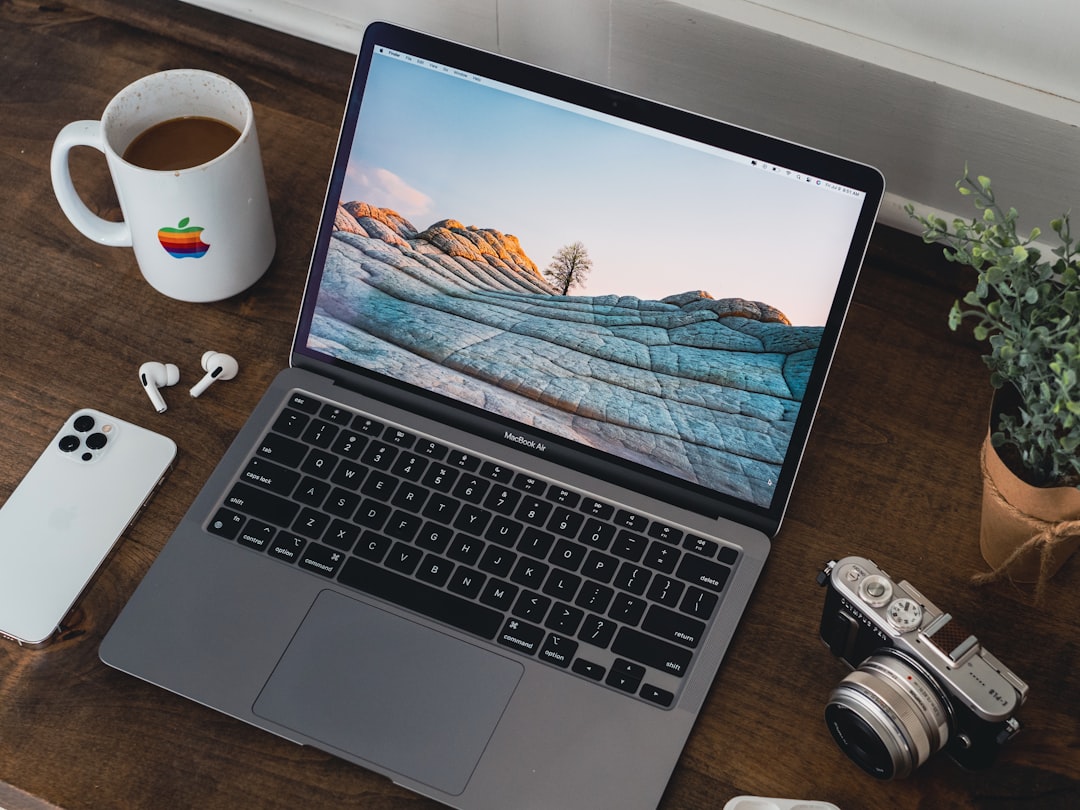
The MacBook Air 2017 occupies an unusual position in India’s refurbished laptop market in 2026. Released nine years ago, it represents the final iteration of Apple’s pre-Retina Air design, a machine that prioritized portability and battery life over raw performance. For budget-conscious buyers seeking the macOS ecosystem, the question is whether this aging Intel-based ultraportable still delivers acceptable productivity in an era dominated by Apple Silicon.
Important note: The MacBook Air 2017 is not currently available in Edify’s catalog. This review evaluates the model’s specifications, performance characteristics, and refurbishment considerations to help you assess whether it meets your needs. We recommend certified refurbished MacBook models with current stock and warranty coverage for immediate purchase.
According to IDC India, the refurbished PC market grew 22% year-over-year in 2023, with Apple devices commanding premium resale values even at advanced age. The MacBook Air 2017 benefits from this trend, but buyers must weigh nostalgia against practical limitations.
MacBook Air 2017: Market Context and Positioning
The MacBook Air 2017 occupies a transitional position in India’s refurbished market as a legacy device that predates modern standards but retains strong resale appeal. Launched in June 2017 at ₹74,990, this Intel-based ultraportable represents the final pre-Retina Air design, prioritizing portability over performance. By 2026, it’s distinctly outdated—lacking Retina display technology, butterfly keyboards, and Apple Silicon innovation—yet benefits from India’s refurbished electronics market, valued at $4.8 billion in 2024. The MacBook Air 2017 attracts budget-conscious macOS users seeking affordable entry into Apple’s ecosystem, though it faces practical limitations in productivity tasks. Edify.club recommends evaluating certified refurbished alternatives with current inventory and warranty coverage before committing to this nine-year-old model.
Apple launched the MacBook Air 2017 (model identifier A1466) in June 2017 as a minor refresh of the 2015 design. The update brought a modest processor bump to Intel’s 5th-generation Core i5-5350U, but retained the same 1440×900 TN display, 8GB RAM ceiling, and wedge-shaped aluminum chassis that debuted in 2010. At launch, the 13-inch model started at ₹74,990 in India.
By 2026 standards, the Air 2017 is a legacy device. It predates the Retina display era (which arrived with the 2018 Air), the butterfly keyboard controversy, and the transformative M1 transition. Yet its longevity in the secondary market reflects Apple’s build quality and the enduring appeal of macOS for students, writers, and light-productivity users.
Counterpoint Research estimates India’s refurbished electronics market at $4.8 billion in 2024, with laptops representing 18% of volume. Within that segment, MacBooks account for disproportionate value share due to brand equity and software support. Apple officially supported the Air 2017 through macOS Monterey (released in 2021), and community patches extend compatibility to macOS Ventura, giving the machine a longer software runway than most 2017-era Windows laptops.
Design and Build Quality
The MacBook Air 2017 delivers solid build quality through its aluminum unibody chassis and proven reliability, though it shows its age through outdated design choices. Apple’s 2017 model retained the wedge-shaped aluminum frame introduced in 2010, prioritizing portability and durability over modern aesthetics. The 1440×900 TN display lacks Retina clarity, and the 8GB RAM ceiling limits multitasking performance. At its ₹74,990 launch price in India, this machine represented excellent value for writers and students, and refurbished units still command respect for their longevity. The aluminum construction resists daily wear better than plastic alternatives, ensuring your investment holds up physically. However, nine-year-old components show fatigue through battery degradation and potential keyboard issues. When evaluating refurbished options, Edify.club’s certified inventory includes newer Apple Silicon models with superior build refinements and warranty protection.
The MacBook Air 2017 measures 325mm wide, 227mm deep, and tapers from 17mm at the hinge to 3mm at the front edge. At 1.35kg, it remains lighter than many 2026 budget Windows ultraportables. The unibody aluminum construction, CNC-milled from a single block, exhibits minimal flex and has aged well in refurbished units.
Common wear points after seven to nine years include:
- Palm rest discoloration: Silver models show less patina than older Space Gray variants (which Apple introduced in later years).
- Hinge stiffness: Units with high cycle counts may exhibit loose hinges or uneven resistance.
- Rubber foot degradation: The four bottom feet often harden or detach, though replacements cost under ₹200.
- MagSafe 2 port wear: Magnetic charging connectors can accumulate debris or lose magnetism after thousands of insertions.
Edify’s 49-point CheckMate inspection flags these issues during intake. Refurbishers typically replace worn feet, clean charging ports with isopropyl alcohol, and test hinge torque across the full 130-degree range. Units with cracked hinges or bent chassis are rejected at intake.
Technical Specifications and Performance
The MacBook Air 2017 delivers adequate performance for basic productivity but struggles with modern multitasking demands. Its Intel Core i5-5350U processor and 8GB maximum RAM handle email, web browsing, and document editing reliably, but lag significantly behind Apple Silicon models in video editing, coding, and concurrent applications. The 1440×900 TN display appears dated compared to contemporary Retina standards, limiting creative work. Battery life remains a strength at 12+ hours for light tasks. Originally launched at ₹74,990 in India, refurbished units now cost ₹25,000-35,000, making the hardware affordable but not future-proof. When evaluating this model, consider that Edify.club recommends certified refurbished MacBooks with current stock and warranty coverage for more reliable purchasing decisions.
| Component | MacBook Air 2017 (A1466) |
|---|---|
| Processor | Intel Core i5-5350U (Broadwell, 5th Gen, 1.8 GHz base, 2.9 GHz Turbo) |
| Graphics | Intel HD Graphics 6000 (integrated) |
| RAM | 8GB LPDDR3-1600 (soldered, non-upgradable) |
| Storage | 128GB or 256GB PCIe SSD (upgradable via third-party adapters) |
| Display | 13.3-inch TN, 1440×900 (16:10), 300 nits |
| Battery | 54Wh lithium-polymer, rated 12 hours (2017 claim) |
| Ports | 2× USB 3.0 Type-A, 1× Thunderbolt 2, MagSafe 2, 3.5mm audio, SD card slot |
| Wireless | 802.11ac Wi-Fi, Bluetooth 4.2 |
| Weight | 1.35 kg |
The Core i5-5350U is a dual-core chip with Hyper-Threading, fabricated on Intel’s 14nm process. NotebookCheck benchmarks show single-core Geekbench 5 scores around 650 and multi-core scores near 1,400. For context, the 2020 M1 MacBook Air scores approximately 1,700 single-core and 7,600 multi-core, a 5× multi-threaded advantage.
The 8GB RAM ceiling is the Air 2017’s most significant constraint in 2026. Modern macOS and browser tabs consume 4 to 6GB at idle. Users running Slack, Chrome with ten tabs, and a code editor will encounter swap pressure, degrading responsiveness. The PCIe SSD mitigates this somewhat, but the experience lags behind 16GB machines.
Real-World Performance in 2026
The MacBook Air 2017 delivers acceptable real-world performance for basic productivity tasks in 2026, but shows clear limitations under load. Its Intel Core i5-5350U processor handles web browsing, document editing, and video playback without significant lag, though it struggles with video rendering, photo editing, and multitasking. The 8GB RAM ceiling creates noticeable bottlenecks when running modern applications. Battery life remains solid at 10-12 hours on light tasks. However, the 1440×900 display feels cramped compared to current standards. For ₹25,000-35,000 refurbished pricing, the 2017 Air suits students and writers prioritizing portability over power. Check Edify.club’s certified refurbished MacBook inventory for models with better performance specifications and current warranty coverage.
Performance expectations must align with use case. The MacBook Air 2017 handles:
- Document editing and web browsing: Google Docs, Microsoft Office Online, and Safari run smoothly with up to eight tabs. Chrome is noticeably heavier.
- Email and communication: Mail.app, Messages, and Zoom (720p video) function adequately. 1080p Zoom calls stress the CPU, causing fan noise.
- Light photo editing: Apple Photos and basic Lightroom adjustments work, but batch exports are slow. Expect 30 to 45 seconds per RAW file.
- Code editing: VS Code and Xcode (for small projects) are usable, though compile times for Swift or React projects exceed modern standards by 3× to 4×.
Tasks that struggle:
- Video editing: iMovie handles 1080p timelines but renders a 10-minute project in 20 to 30 minutes. Final Cut Pro is impractical.
- Virtualization: Running Windows via Parallels or VMware consumes 4GB+ RAM, leaving insufficient headroom for macOS.
- Modern gaming: Intel HD Graphics 6000 cannot run titles released after 2018 at playable frame rates.
Thermal management is adequate for the 15W TDP chip. The single fan ramps audibly under sustained load but keeps the CPU below 85°C in most scenarios. Dust accumulation in seven-year-old units can elevate temperatures by 10 to 15°C, making thermal paste replacement and fan cleaning standard refurbishment steps.
Battery Life and Longevity Considerations
The MacBook Air 2017’s battery longevity is its weakest point for 2026 buyers. At nine years old, the 50Wh lithium-polymer battery degrades significantly, typically delivering 3-4 hours of real-world use versus the original 12-hour rating. Refurbished units often show 70-80% battery health, requiring replacement within months at costs exceeding ₹8,000. The non-removable battery design compounds this issue, making maintenance expensive and inconvenient. For daily productivity, you’ll depend heavily on outlet access. While Apple’s build quality ensures the chassis survives decades, the battery represents a genuine replacement liability. When evaluating refurbished MacBook Air 2017 models, battery health documentation becomes critical. Edify.club’s certified refurbished MacBook selections prioritize units with verified battery performance and warranty coverage.
Apple rated the original 54Wh battery at 12 hours of web browsing. By 2026, most Air 2017 units have undergone 800 to 1,200 charge cycles. Lithium-polymer cells degrade approximately 20% capacity after 500 cycles and 40% after 1,000 cycles under typical use.
A refurbished Air 2017 with 900 cycles and 60% original capacity delivers 6 to 7 hours of light use (Safari, Pages, Mail at 50% brightness). Heavy workloads (video calls, Chrome with extensions) reduce runtime to 3 to 4 hours. Battery replacement costs ₹8,000 to ₹12,000 at authorized service centers, or ₹4,500 to ₹6,000 via third-party providers, though the latter may use lower-quality cells.
Edify’s CheckMate system measures battery health via macOS System Information and coconutBattery. Units below 70% health are flagged for replacement or disclosed to buyers. The 12-month warranty covers battery failures (defined as health dropping below 50% within the warranty period), providing recourse if degradation accelerates post-purchase.
Refurbishment Considerations and Quality Checks
Refurbished MacBook Air 2017 units require rigorous quality checks before purchase, particularly around battery health, display condition, and keyboard functionality. Since the 2017 model launched at ₹74,990 and predates the Retina display era, verify the 1440×900 TN screen for dead pixels and brightness degradation. Battery capacity should register above 80% of original 50.38Wh capacity for acceptable longevity. Inspect the wedge-shaped aluminum chassis for dents, the trackpad for responsiveness, and all USB-A ports for debris. Request detailed refurbishment reports documenting full hardware diagnostics, thermal paste replacement, and SSD testing. Edify.club recommends certified refurbished MacBook models with documented quality certifications and warranty coverage to ensure your purchase meets reliability standards.
When evaluating a refurbished MacBook Air 2017, scrutinize these areas:
Display
The 1440×900 TN panel is the Air 2017’s weakest component. Viewing angles are narrow (colors shift beyond 30 degrees), and brightness peaks at 300 nits, half that of modern Retina displays. Check for:
- Backlight bleed along edges (common in aged units)
- Yellow tinting (adhesive degradation)
- Dead pixels (more than two is unacceptable)
- Anti-reflective coating delamination (the ‘Staingate’ issue affected 2013 to 2017 models; Apple’s free replacement program ended in 2021)
Keyboard and Trackpad
The 2017 Air uses the scissor-switch keyboard, predating the problematic butterfly mechanism. Keys should exhibit 1mm travel with consistent tactile feedback. Worn keycaps (shiny legends on E, A, S, D) are cosmetic but indicate heavy use. The glass trackpad should click uniformly across its surface; uneven response suggests a swollen battery beneath.
Storage Health
The factory SSD is a Samsung or SanDisk PCIe Gen2 drive. Use DriveDx or smartmontools to check SMART attributes. Units with >10% reallocated sectors or >5,000 power-on hours warrant caution. Edify replaces SSDs showing pre-failure warnings during intake.
Activation Lock and Firmware
Verify the seller has removed the device from their iCloud account. An Activation Lock renders the machine unusable. Check firmware password status by booting into Recovery Mode (Cmd+R at startup); a password prompt indicates the previous owner did not clear settings.
Pricing Analysis and Value Proposition
The MacBook Air 2017 delivers weak value in 2026’s refurbished market, with pricing that rarely justifies its nine-year-old Intel processor and 1440×900 display. Originally launched at ₹74,990 in India, refurbished units now sell for ₹25,000-35,000, yet struggle against current-gen budget alternatives with superior specs. The device suits only nostalgic macOS users prioritizing portability over performance, as its 8GB RAM ceiling and aging architecture bottleneck modern applications. India’s refurbished electronics market reached $4.8 billion in 2024, but the Air 2017 represents diminishing value within that sector. Buyers seeking genuine savings and warranty protection should explore Edify.club’s certified refurbished inventory, where newer MacBook models offer better long-term reliability and faster resale potential.
As of early 2026, MacBook Air 2017 units in India’s secondary market range from ₹18,000 to ₹28,000 depending on configuration, cosmetic grade, and battery health. The 128GB model clusters around ₹20,000, while 256GB variants with sub-200 cycle batteries command ₹26,000 to ₹28,000.
Comparative value context:
- A new Windows laptop at ₹25,000 (e.g., HP 15s with Ryzen 5 5500U, 8GB RAM, 512GB SSD) offers superior multi-core performance, double the storage, and a 1080p IPS display.
- A refurbished ThinkPad T480 (2018, Core i5-8250U, 16GB RAM, 256GB SSD) costs ₹22,000 to ₹26,000 and delivers better performance, upgradability, and Linux compatibility.
- The refurbished MacBook Air M1 starts around ₹50,000, offering 5× the performance, Retina display, and five more years of macOS support.
The Air 2017’s value proposition hinges on three factors:
- macOS exclusivity: If your workflow depends on Final Cut Pro, Logic Pro, Xcode, or the Apple ecosystem (Handoff, AirDrop, iMessage), no Windows alternative replicates the experience.
- Build quality: The aluminum unibody and glass trackpad remain superior to plastic-chassis budget laptops.
- Resale retention: Even in 2028, a working MacBook Air 2017 will command ₹12,000 to ₹15,000, whereas a 2026 budget Windows laptop depreciates to ₹6,000 to ₹8,000.
However, the 8GB RAM limit, aging display, and two to three remaining years of software support narrow the use case to students, writers, and users with light productivity needs who prioritize macOS over performance.
Closest Edify Alternatives
The MacBook Air 2017 is not currently available through Edify.club’s refurbished inventory. However, certified refurbished MacBook models with current stock represent your best alternative for budget-conscious macOS buyers in India’s refurbished market, which grew 22% year-over-year in 2023. The 2017 Air originally launched at ₹74,990, but today faces obsolescence with its 1440×900 TN display and Intel 5th-gen processor. For immediate purchase with warranty coverage, Edify recommends exploring newer certified refurbished MacBook options that deliver superior performance and display quality. Check Edify.club’s current MacBook catalog to find models with active stock and genuine warranty protection that better suit 2026 productivity demands.
Since the MacBook Air 2017 is not in Edify’s current inventory, consider these certified alternatives with 12-month warranty and 49-point CheckMate inspection:
MacBook Air M2 (A2681)
The MacBook Air M2 at ₹71,750 represents a generational leap. The M2 chip delivers 8-core CPU and 10-core GPU performance, 13.6-inch Liquid Retina display (2560×1664), MagSafe 3 charging, and fanless operation. Configurations scale to 24GB unified memory. For users stretching budget to ₹70,000+, this is the optimal entry into modern macOS with seven to eight years of software support ahead.
MacBook Pro A2289 (Intel Core i5, 8th Gen)
The MacBook Pro A2289 at ₹37,999 (currently out of stock, check for restocks) bridges the gap between the Air 2017 and M-series machines. The 8th-gen Core i5-8257U (quad-core) offers 2× the multi-threaded performance of the Air 2017’s dual-core chip, plus a 2560×1600 Retina display, Touch Bar, and Thunderbolt 3 ports. The 2020 release year provides three to four more years of macOS updates compared to the 2017 Air.
Both alternatives ship with Edify’s 12-month warranty, covering hardware failures and battery degradation. Buyers gain access to Edify’s 50,000+ customer support network and can verify CheckMate inspection reports via the serial number lookup on edify.club.
Verdict: Should You Buy a MacBook Air 2017 in 2026?
The MacBook Air 2017 is not worth buying in 2026 unless you accept significant performance compromises. At nine years old, this Intel-based machine struggles with modern applications, multitasking, and software updates. Its 1440×900 TN display and 8GB RAM ceiling feel dated against current standards, and you’ll encounter compatibility issues with newer macOS versions. While the refurbished Apple market grew 22% year-over-year through 2023, that value stems from newer models with Apple Silicon. Original launch pricing of ₹74,990 reflected 2017 economics. For similar refurbished pricing today, you can access superior M-series MacBooks with warranty coverage. Edify.club recommends certified refurbished MacBook models with current stock and Apple Silicon rather than legacy Intel machines.
The MacBook Air 2017 is a defensible purchase only under narrow conditions:
Buy if:
- Your budget ceiling is ₹22,000 and macOS is non-negotiable for ecosystem integration (iPhone, iPad, Apple Watch).
- Your workload is text-centric (writing, email, research) with minimal multitasking.
- You value the aluminum build and glass trackpad over performance and display quality.
- You can verify battery health above 75% and confirm no Activation Lock or firmware password.
Avoid if:
- You run memory-intensive applications (Photoshop, Premiere, Android Studio, multiple virtual machines).
- You need a machine to last four or more years; macOS support will likely end by 2028.
- Display quality matters; the 1440×900 TN panel is a significant downgrade from any 2020+ laptop.
- You can stretch budget to ₹38,000 to ₹40,000 for a Retina MacBook Pro or ₹50,000+ for an M1 Air.
From a market-structure perspective, the Air 2017 occupies a shrinking niche. Statista projects global PC refresh cycles averaging 5.2 years in 2024, meaning most 2017 devices are beyond their intended lifespan. Apple’s aggressive silicon transition has bifurcated the refurbished MacBook market into pre-M1 (declining value) and M1+ (strong demand). The Air 2017 sits on the wrong side of that divide.
For buyers committed to macOS on a tight budget, I recommend monitoring Edify’s inventory for refurbished M1 MacBook Air units or the 2020 Intel MacBook Pro (A2289, A2338). These machines offer materially better performance, Retina displays, and longer support horizons, justifying the ₹15,000 to ₹30,000 premium over a 2017 Air. Edify’s 49-point CheckMate inspection and 12-month warranty mitigate refurbishment risk, and the platform’s 5,000-units-per-month throughput ensures regular inventory rotation.
If the Air 2017 is your only path to macOS, buy from a seller offering at least a 30-day return window, verify battery health independently, and budget ₹5,000 to ₹8,000 for a battery replacement within 18 months. Set realistic performance expectations and plan a three-year maximum ownership window. The machine can still serve light-duty roles, but it is a stopgap, not a long-term solution.
For a comprehensive comparison of current refurbished MacBook options, explore our honest review of refurbished MacBooks in India, which evaluates value across price bands and use cases with data from Edify’s procurement and customer feedback channels.
Researched and drafted with AI assistance, then reviewed by Saurabh Vyas, Co-Founder & Chief Operating Officer at Edify.club.

No Comments
Leave a comment Cancel