TL;DR: 8GB RAM is enough in 2026 if you mostly do office work, web research, online classes and light coding, and you keep your browser tabs under control. It is not enough if you juggle dozens of tabs with video calls and spreadsheets, edit video, or play demanding games. For those jobs, pick 16GB. On Edify, the price gap between the two is smaller than most buyers expect. The ThinkPad T490 with 8GB is Rs 23,999 and the ThinkPad T490s with 16GB is Rs 27,999.
Most advice on this question is written for new laptops and in dollars or pounds. An Indian buyer has a different problem: a fixed budget of Rs 25,000 to Rs 40,000, and a choice between spending on RAM, on a newer processor, or on a bigger SSD. This guide looks at it as a spending decision. Where does the extra rupee do the most work? I’m writing from the supply side at Edify, where 5,000+ refurbished units a month pass through the pipeline, so the prices and models below come from live inventory rather than generic spec sheets.
Short answer: 8GB is enough for light work, not for heavy multitasking
Manufacturers themselves are split, and the split is informative. Lenovo India calls a laptop with 8GB RAM a logical choice for everyday computing such as business and office work and web research. Its RAM glossary page says 4GB or 8GB is usually enough for basic tasks such as web browsing and document creation. HP India’s 2026 guide goes one step further and recommends 16GB as the standard for smooth multitasking for most users in India.
These statements do not contradict each other. They describe two different users. If you open one or two apps at a time, 8GB works. If your day involves a browser with many tabs, a video call, a spreadsheet, a PDF and a chat app running together, 16GB removes the friction. The rest of this post helps you work out which user you are.
What Windows 11 and your browser actually ask of RAM
Windows 11 officially needs 4GB of RAM at minimum, as Digital Trends notes, but it also points out that real use is higher than that minimum. The operating system, security software, background updaters and your sign-in services take a share before you open anything. What is left is what your own apps compete for.
Think of RAM as desk space. An 8GB desk is fine for one laptop, one notebook and a cup of tea. Add a second monitor, a stack of files and a printer, and you start moving things to the floor. When Windows runs short of RAM, it pushes data out to the SSD. That keeps the machine alive, but it feels slower, and it is the reason a 8GB laptop with a fast SSD feels much better than one with an old hard drive.
Browsers are the biggest practical consumer for most people. Each tab, extension and web app takes a slice. A student with five tabs and a document is in a different position from an accountant with thirty tabs, a web-based ERP, Excel and Teams. Same laptop, very different experience.
8GB or 16GB by use: office, study, coding, editing and gaming
Office work and web research
8GB is enough. Email, Word, Excel with ordinary files, browser-based tools and video calls run well on 8GB if you close what you are not using. This is the use case where paying for 16GB is most likely a waste. A ThinkPad T490 (Intel Core i5, 8th Gen, 8GB, 256GB) at Rs 23,999 is a sensible fit.
School and college study
8GB is enough for lectures, notes, research papers, online classes and assignments. If your course adds heavy software (CAD, large datasets, virtual machines), move to 16GB. For general study, spend the saved money on a better CPU generation or keep it as a buffer.
Coding
It depends on the stack. Web development with a code editor, a local server and a browser works on 8GB. Once you add Docker containers, an Android emulator, a heavy IDE or several services running locally, 8GB becomes tight and 16GB is the realistic floor. If you are learning and writing small projects, 8GB is fine. If you code for a living on a bigger stack, take 16GB.
Light photo and video editing
Basic photo edits and short 1080p clips can run on 8GB, with patience. Timelines with many layers, large RAW files or effects push past it quickly. For anything you are paid for, 16GB is the better choice, and a stronger processor matters as much as the RAM.
Gaming
8GB is enough for older and lighter games. It is not enough for demanding titles. SoftwareTestingHelp points out that The Division 2 needs 11.3GB of RAM, which is already beyond an 8GB machine before the operating system takes its share. Also note that business laptops, which is most of what refurbished catalogs hold, are built for work. If gaming is the main goal, RAM is only one of several limits, and integrated graphics will hold you back before memory does.
| Use | 8GB enough? | Pick 16GB if |
|---|---|---|
| Office and web research | Yes | You keep 20+ tabs and several apps open all day |
| School and college | Yes | Your course needs CAD, virtual machines or large datasets |
| Coding | Yes, for small projects | You run Docker, emulators or several local services |
| Light editing | Barely | You edit video or large RAW photos for income |
| Gaming | Only light games | You want modern titles (and a better GPU too) |
Warning signs that 8GB is not enough for you
You do not need a benchmark to find out. Watch for these patterns on your current laptop:
- Switching between two open apps causes a visible pause, even though the SSD is fast.
- The browser reloads tabs you did not close, because the system is reclaiming memory.
- Video calls stutter when a spreadsheet or a second browser window is open.
- Task Manager shows memory use near the top of the bar during ordinary work.
- You close apps before opening new ones, just to keep things smooth.
If two or more of these sound like your day, the answer to ‘is 8GB enough for my laptop’ is no, and you should plan for 16GB. If none of them apply, you probably have more headroom than you think. The habit of closing unused tabs is free and often solves the problem.
Buying an 8GB refurbished laptop: a checklist
An 8GB laptop can feel fast or slow depending on what surrounds the RAM. Check these before you pay:
- The drive must be an SSD. This matters more than the extra 8GB. A laptop with an SSD and 8GB will feel better than a 16GB machine on a hard disk. Every laptop in the catalog below lists a 256GB or 512GB drive.
- Check the CPU generation. An 8th Gen Intel Core i5 is fine for office tasks. An 10th or 11th Gen chip adds more headroom for the same 8GB. The 11th Gen Latitude 5420 is at Rs 32,499, while the 8th Gen ThinkPad T490 is at Rs 23,999. That Rs 8,500 buys a newer processor, not more RAM.
- Find out whether the RAM can be upgraded. Many business laptops have a replaceable memory slot. Slim ultrabooks often solder some or all of the RAM to the board. Our ThinkPad X390 review covers soldered RAM and what it means for you, and it is a good example of why you should ask before buying.
- Confirm the warranty. Every Edify laptop carries a 12-month warranty (6 months on Apple products), so a defect in the first year is not your cost.
- Look for a certified process. Every Edify unit goes through the 49-point CheckMate inspection before it is listed.
If you are new to buying used hardware, the used laptop buying guide explains how used, refurbished and certified machines differ, and the second-hand laptop guide compares models and prices.
Edify 8GB and 16GB laptops by price
Here is the in-stock catalog, sorted by price. All prices are the entry configuration listed on Edify today. All run Windows 11 Pro.
| Model | Processor | RAM | Storage | Price |
|---|---|---|---|---|
| Lenovo ThinkPad T490 | Intel Core i5, 8th Gen | 8GB | 256GB | Rs 23,999 |
| Dell Latitude 7400 | Intel Core i5, 8th Gen | 8GB | 256GB | Rs 24,999 |
| Lenovo ThinkPad L480 | Intel Core i7, 8th Gen | 8GB | 256GB | Rs 25,999 |
| HP ProBook 640 G5 | Intel Core i5, 8th Gen | 8GB | 256GB | Rs 26,999 |
| Lenovo ThinkPad T490s | Intel Core i5, 8th Gen | 16GB | 256GB | Rs 27,999 |
| Dell Latitude 5410 | Intel Core i5, 10th Gen | 8GB | 256GB | Rs 28,999 |
| Dell Latitude 3410 | Intel Core i5, 10th Gen | 8GB | 256GB | Rs 28,999 |
| Lenovo ThinkPad T14s | Intel Core i5, 10th Gen | 16GB | 256GB | Rs 31,999 |
| Dell Latitude 5420 | Intel Core i5, 11th Gen | 8GB | 256GB | Rs 32,499 |
| Lenovo ThinkPad T14s | Intel Core i7, 10th Gen | 16GB | 512GB | Rs 38,499 |
| Lenovo ThinkPad T14 | Intel Core i7, 11th Gen | 16GB | 256GB | Rs 39,999 |
What the price table tells you
Three comparisons stand out.
- The cheapest 16GB step is small. The 8GB ThinkPad T490 is Rs 23,999 and the 16GB ThinkPad T490s is Rs 27,999. That is a Rs 4,000 difference for double the memory on the same 8th Gen i5 class and the same 256GB storage. If you suspect you are a heavy multitasker, this is the most direct upgrade in the list.
- Newer processor or more RAM? The 8GB Dell Latitude 5420 (11th Gen) is Rs 32,499. The 16GB ThinkPad T14s i5 (10th Gen) is Rs 31,999, which is Rs 500 less. Pick the Latitude if your work is light and you want the newer chip. Pick the T14s if you run many apps together.
- The top end is about speed, not just memory. The T14s i7 with 512GB at Rs 38,499 and the T14 i7 11th Gen at Rs 39,999 suit people who code, handle big spreadsheets or keep many apps open. For plain office use they are more than you need.
The ThinkPad T490 is also our most-sold model in this group, with 702 units sold, which tells you that most buyers in this price range choose 8GB and are happy with it. You can read the full ThinkPad T490 review for more on the build and battery. For Lenovo pricing across models, see the Lenovo i5 laptop price guide.
Start with 8GB and upgrade later: what it costs
The cheapest safe strategy for a budget buyer is to buy 8GB now and add memory only if your work grows. This works only when the laptop has an accessible RAM slot, so check that first.
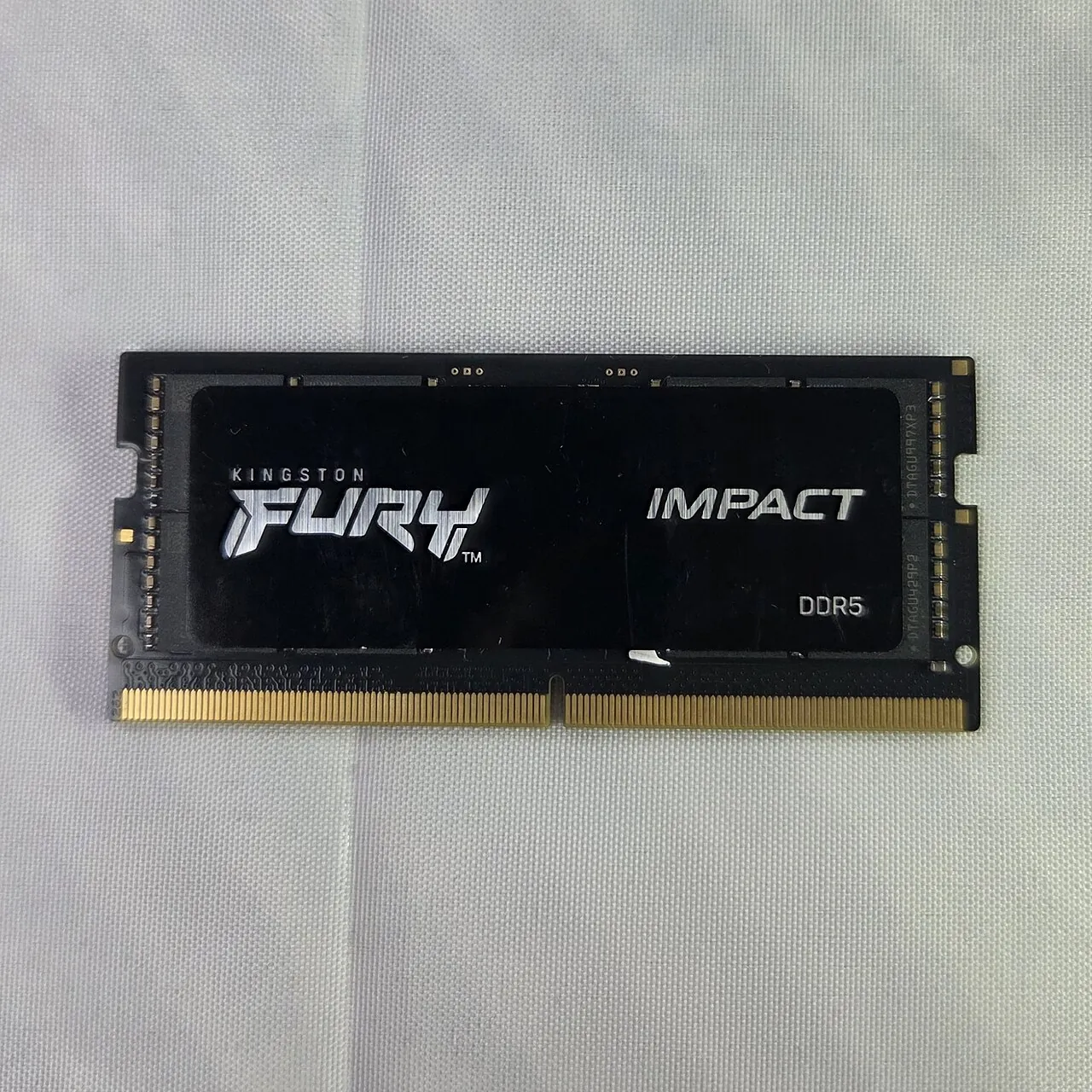
Laptop Repair World quotes RAM upgrade costs in India of Rs 1,500 to Rs 4,500 per DDR4 stick and Rs 3,500 to Rs 9,500 for DDR5. Older business laptops generally use DDR4, so the lower range is the one that usually applies to the models above. Compare that with the Rs 4,000 gap between the T490 and T490s: a later upgrade can cost about the same as paying up front, or less, but only if the slot is available and compatible. Buying 16GB at the start removes that uncertainty and the effort of fitting it.
A simple rule works here:
- If you are unsure and the 8GB model has an upgradeable slot, buy 8GB and watch your usage for a month.
- If you already know you multitask heavily, buy 16GB now and skip the upgrade.
Whichever you choose, you are buying from a platform that has served 50,000+ customers across 1,800+ pin codes, with a 12-month warranty on every laptop and a 49-point CheckMate inspection on every unit.
FAQ
Is 8GB RAM enough for a laptop in 2026?
Yes, for office work, web research, study, online classes and small coding projects. No, for heavy multitasking, video editing and demanding games. HP India recommends 16GB as the standard for smooth multitasking for most users, while Lenovo India calls 8GB a logical choice for everyday business and office use.
Is 8GB RAM enough for Windows 11?
Yes. Microsoft’s official minimum is 4GB, and 8GB gives the operating system and a few apps enough room. Real use is higher than the minimum, so 8GB suits light work but leaves little spare for a heavy workload.
Is a refurbished laptop with 8GB RAM worth buying?
Yes, if it has an SSD and a recent enough processor. Tech Market, a UK refurbished seller, also recommends 8GB as a practical starting point for everyday use on a refurbished Windows 11 laptop, and its 8GB vs 16GB guide reaches a similar view.
Can I upgrade 8GB to 16GB later?
Often yes, when the laptop has a replaceable memory slot. Some slim models have soldered RAM and cannot be upgraded. Check before you buy.
Which is better, 8GB RAM with a newer CPU or 16GB RAM with an older CPU?
For light work, the newer CPU. For many apps open at once, the extra RAM. The Latitude 5420 (8GB, Rs 32,499) and the ThinkPad T14s i5 (16GB, Rs 31,999) are a good pair to compare.
Verdict: who should pick which
Choose 8GB if you do office work, study, browsing and basic coding, and you want to keep the budget near Rs 24,000 to Rs 27,000. The ThinkPad T490 at Rs 23,999, the Dell Latitude 7400 at Rs 24,999 and the ThinkPad L480 at Rs 25,999 are the value picks. Choose the Latitude 5420 at Rs 32,499 if you want a newer 11th Gen processor.
Choose 16GB if you keep many tabs and apps open, run development tools or edit media. The ThinkPad T490s at Rs 27,999 is the cheapest way in, and the ThinkPad T14s i5 at Rs 31,999 is the step up with a newer processor.
The honest answer to ‘is 8GB enough’ is that it depends on what you do all day, and the price difference is small enough that you can afford to be careful. Match the RAM to your work, check for an SSD and an upgradeable slot, and spend the rest on the processor generation.
Prepared with AI assistance using the sources cited in this article.